What is Azure VPN Gateway?
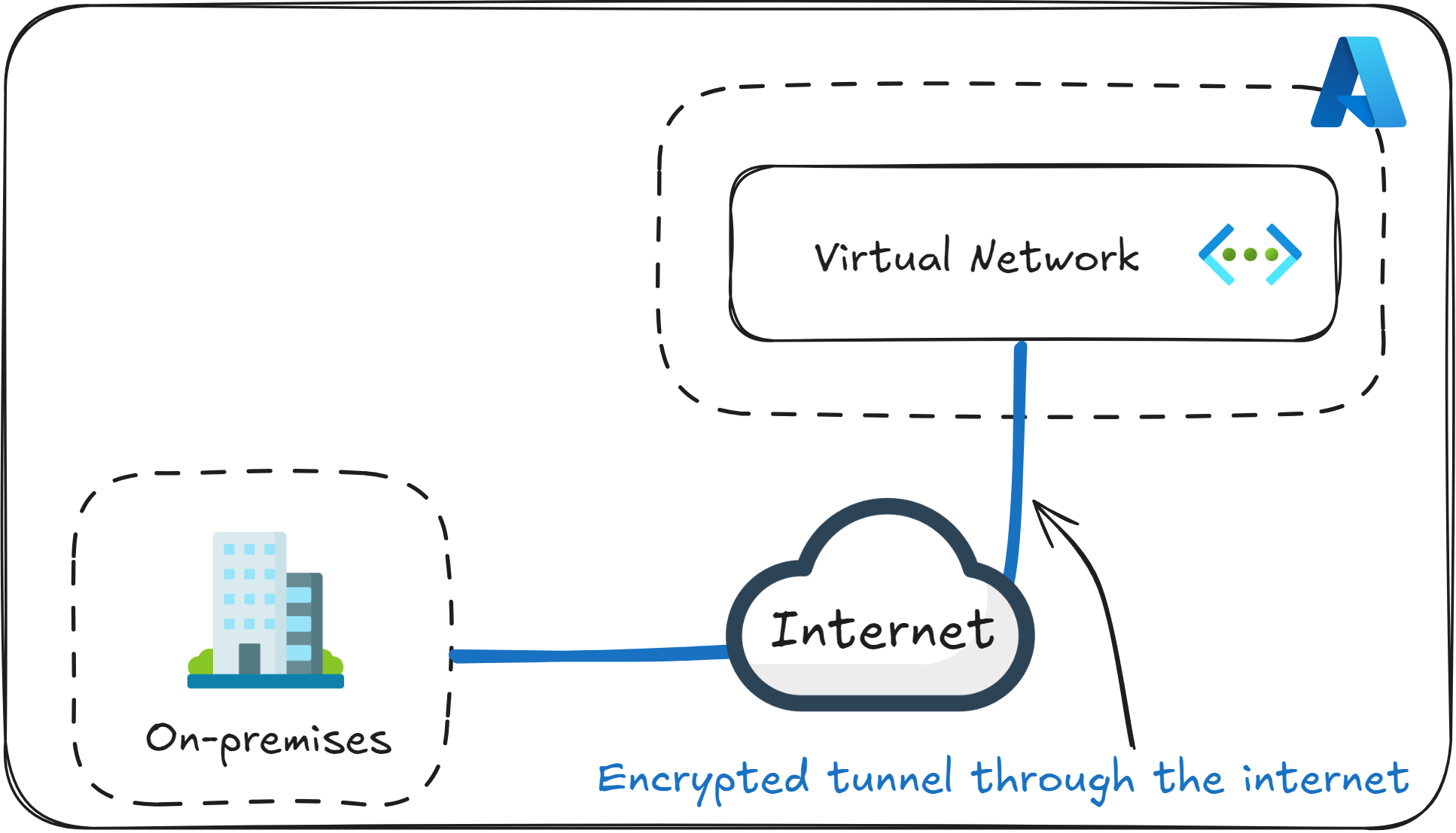
Azure VPN Gateway is a managed service that lets you create secure, encrypted connections between Azure and other networks over the public internet. It’s one of the main tools used to build a hybrid cloud system and remote access to Azure environments.
You can think of Azure VPN Gateway as a secure bridge between your Azure Virtual Network and another network, such as your on-premises data center or an employee’s laptop.
It uses IPsec and IKE protocols to encrypt network traffic through the internet, so that the data is protected from being intercepted or altered.
If you’re asked about what Azure VPN Gateway uses to encrypt the network traffic, do not choose HTTPS or SSL, as those are common traps. The current option is IPsec/IKE.
Connection Types
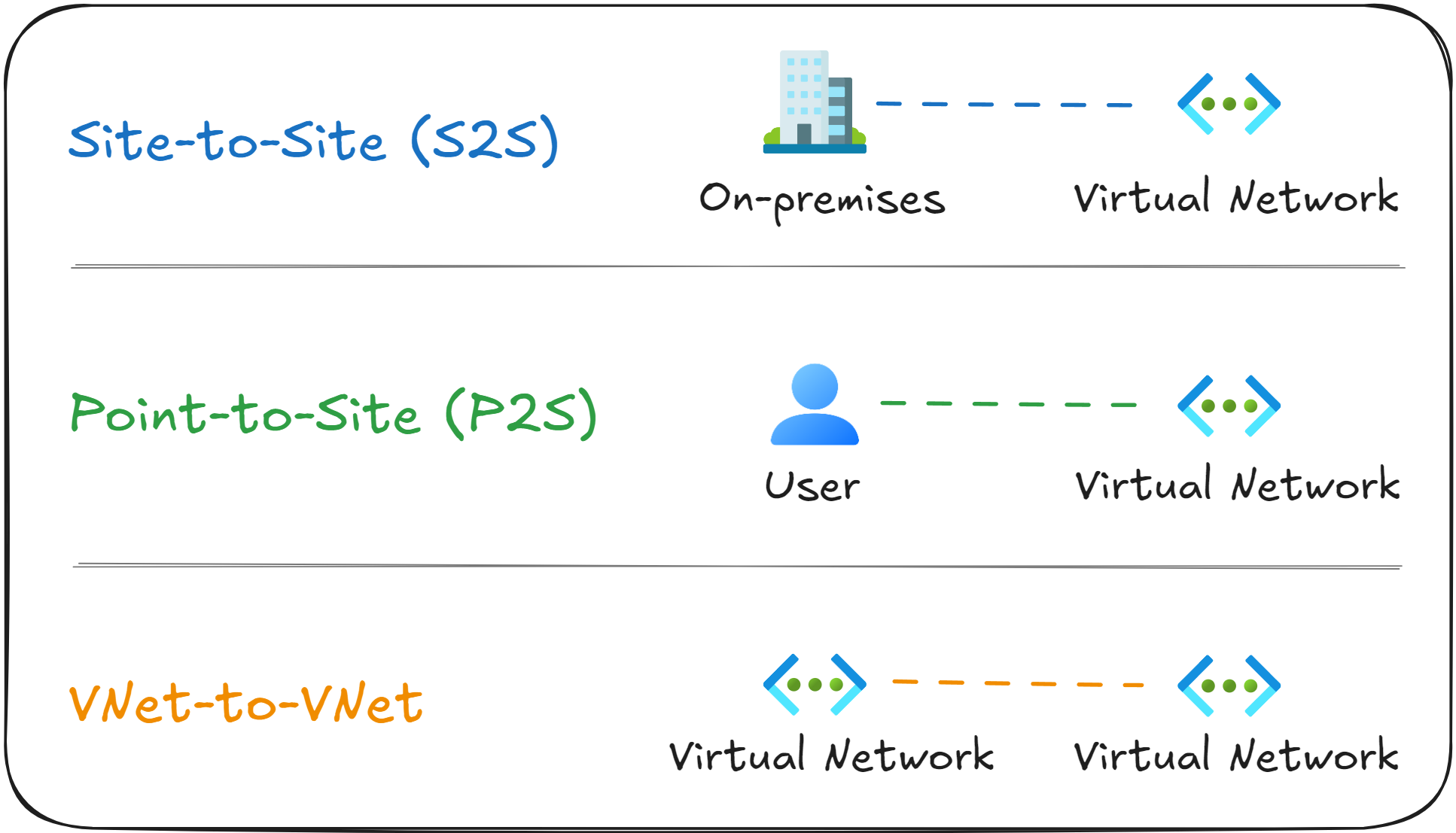
There are three connection types you need to know for the AZ-104 exam.
Site-to-Site (S2S) connects your on-premises network to an Azure Virtual Network. This is used when you want to set up a permanent or semi-permanent connection between your corporate network and Azure.
Point-to-Site (P2S) connects individual devices, like employee laptops, directly to Azure. It’s a common set up for remote employees that need secure access to an Azure Virtual Network.
VNet-to-VNet connects two Azure Virtual Networks over the public internet, while encrypting the communication between them.
If you see a question worded as “You need allow developers to connect from their personal laptops to resources in Azure”, then Azure VPN Gateway Point-to-Site is the answer.
How do you deploy a VPN Gateway?
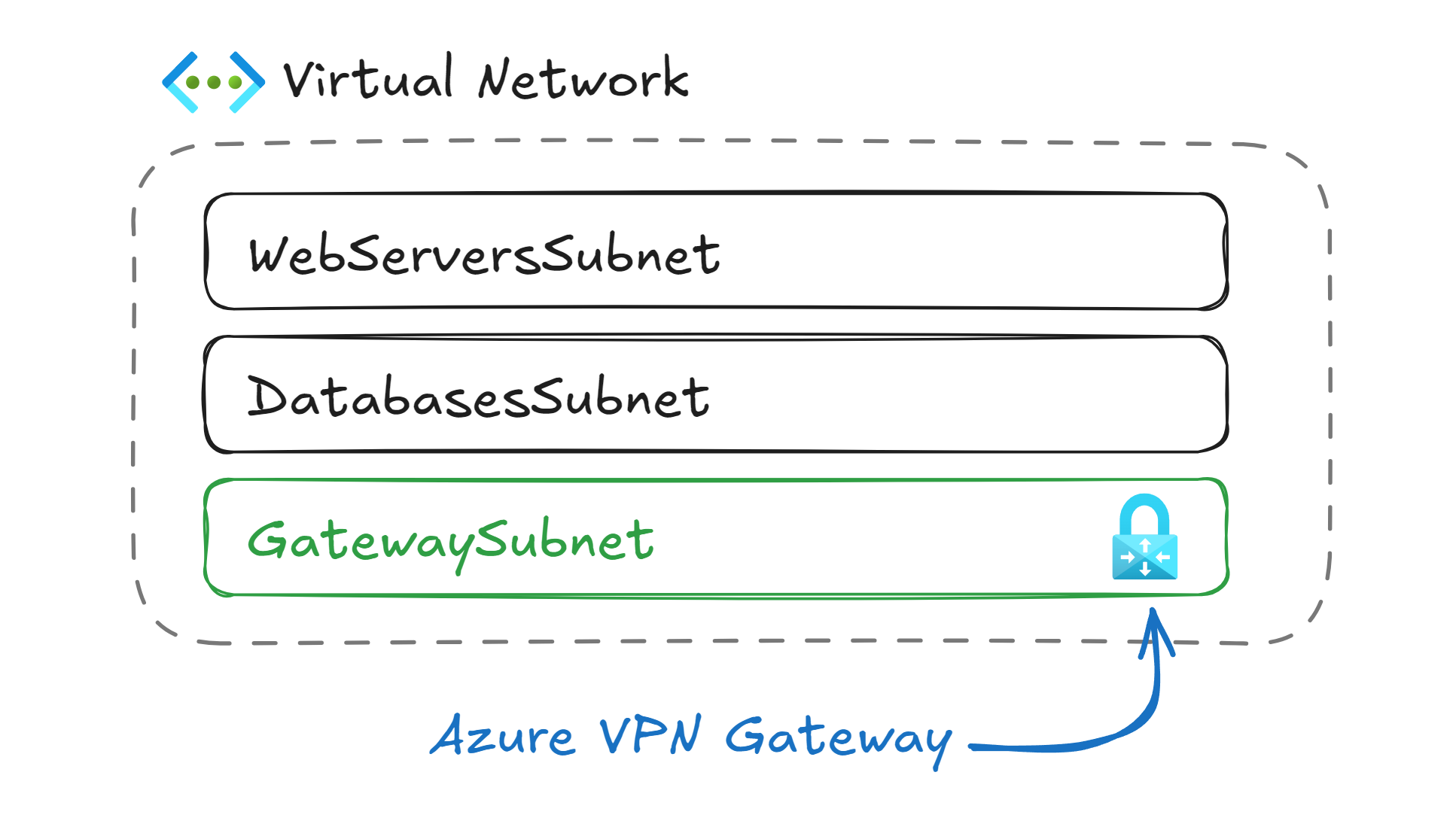
To deploy a VPN Gateway, first you need to create a subnet named GatewaySubnet inside your Virtual Network. This subnet is reserved for gateway resources only (VPN Gateway, ExpressRoute Gateway), and should not contain any Virtual Machines or other services.
After the VPN Gateway is deployed, you need to configure a connection to another VPN endpoint. This can be an on-premises router, another VPN Gateway, or a VPN Client on an employee’s device.
When the connection is active, Azure will route network traffic through the encrypted network for any destination network you defined in the VPN Gateway configuration.
For example, if your corporate network uses 192.168.0.0/24 and your Azure Virtual Network uses 10.0.0.0/16, you can set up a Site-to-Site (S2S) tunnel so that both environments can communicate. The employees from the on-premises office will be able to access the VMs in Azure through an encrypted tunnel over the public internet.
If you encounter a question asking how to configure VPN Gateway, make sure to include the option that mentions “Create a subnet named GatewaySubnet within the Virtual Network”.
VPN Gateway vs Peering
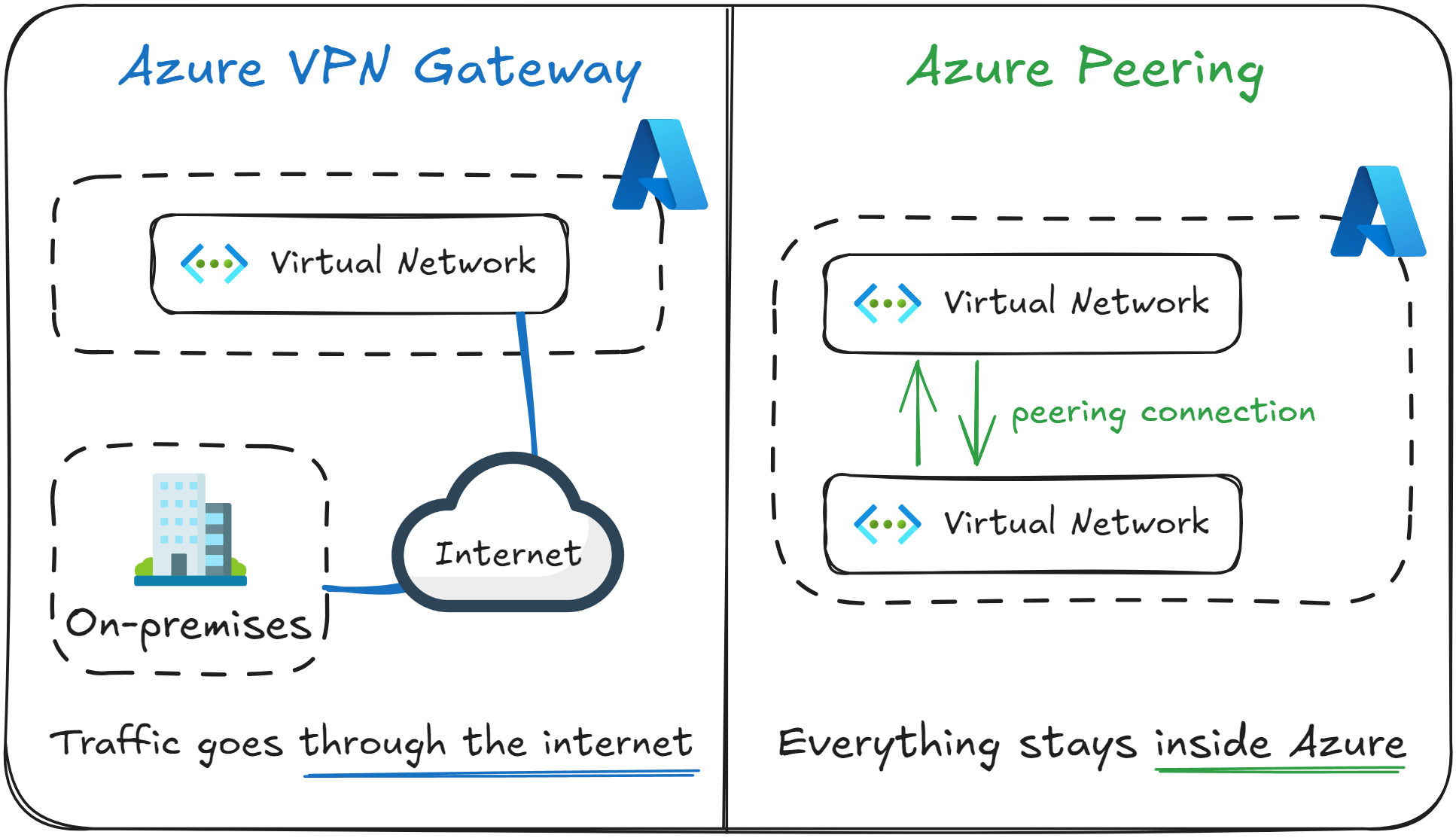
A common point of confusion in Azure Networking is the difference between a VPN Gateway and peering.
In a way, both allow different networks to communicate, but the way in which they do it is fundamentally different.
Below you can find a table describing the main differences between them. It primarily comes down to which type of networks they connect (on-premises or Azure), and if traffic goes through the public internet.
|
Feature |
VPN Gateway |
Peering |
|---|---|---|
|
Main use case |
Connect Azure networks to external networks (like on-premises ones, or remote users) |
Connect two Azure networks together |
|
Networking Route |
Network traffic goes through the public internet, but it’s encrypted |
Network traffic goes through Microsoft’s backbone network |
|
Performance |
Network speed depends on internet quality |
Independent of internet quality, it’s a high bandwidth, low latency connection |
As a rule of thumb, use peering to connect two networks that are both inside Azure, under the same tenant. If one of them is on-premises, use VPN Gateway.
If the exam question contains key words such as “on-premises”, “branch office”, “remote user” or “public internet”, then it’s most likely a VPN Gateway question.
What to remember for your exam
- Azure VPN Gateway is used to connect external networks through encrypted tunnels over the public internet.
- It’s one of the primary tools to build a hybrid cloud with secure remote access.
- It uses IPsec/IKE protocols for security.
- VPN Gateway is always deployed inside a subnet named GatewaySubnet.
- It supports Site-to-Site (S2S), Point-to-Site (P2S), and VNet-to-VNet connection types.
- It’s different from peering, as network traffic that goes through a peering connection travels through the Microsoft backbone network rather than the public internet, and it’s not encrypted.
What’s next?
To lock in what you’ve learned, take the short 8-question quiz for this lesson. It will help you test your understanding of Azure VPN Gateway before you move on.
In the next lesson, you will learn how to create a private, dedicated connection between your on-premises network and an Azure Virtual Network using Azure ExpressRoute.