What is Azure Application Gateway?
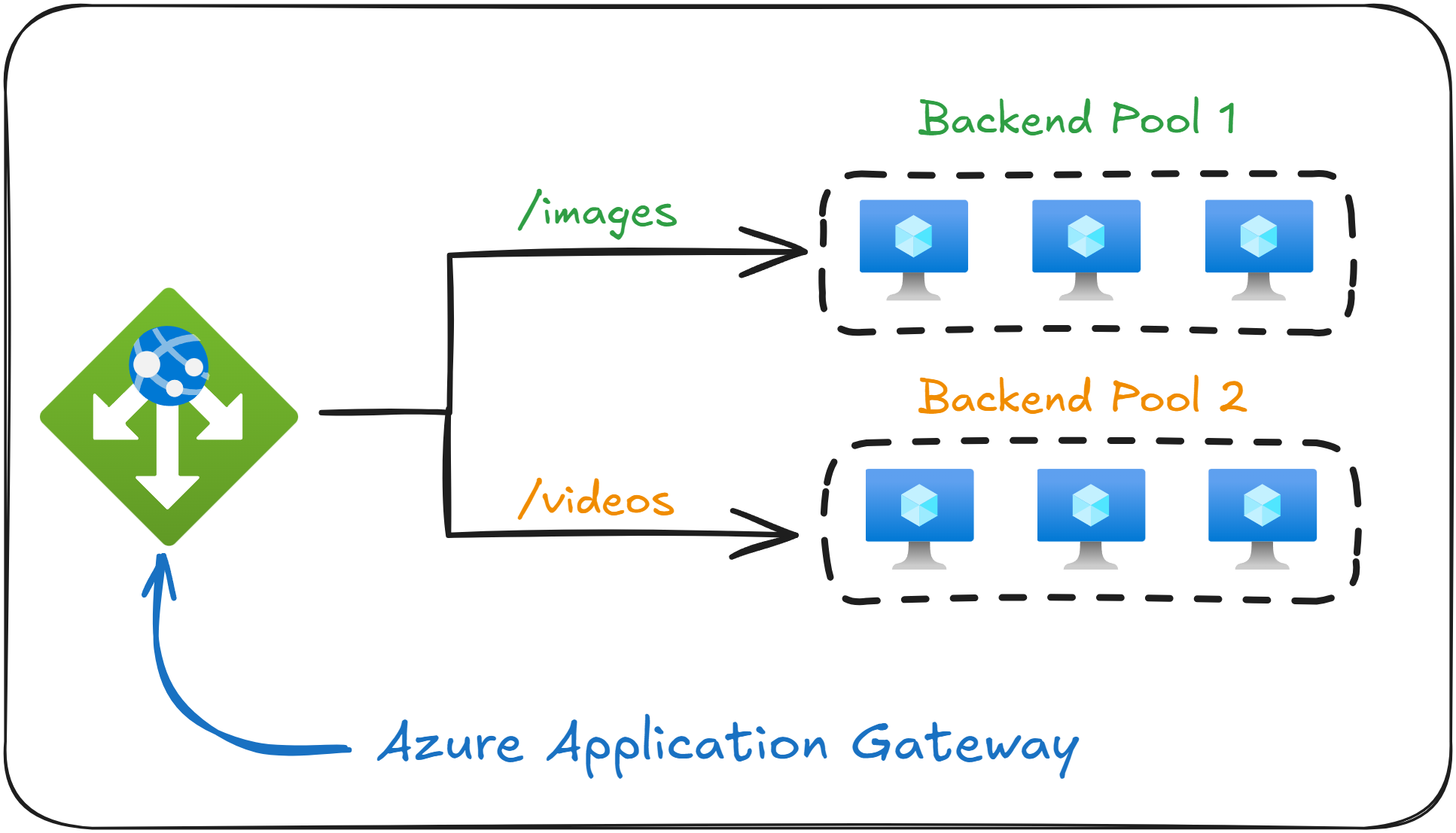
Azure Application Gateway is a Layer 7 (Application Layer) Load Balancer designed to distribute HTTP and HTTPS traffic.
Because it operates at the Application Layer, it can inspect and route traffic based on URLs, paths, cookies, hostnames, query strings, HTTP headers, and other web-specific attributes.
As a quick reminder, Azure Load Balancer (from last lesson) operates at Layer 4 (Transport Layer), and routes traffic based only on source/destination IP addresses and ports.
In short, Application Gateway is a more suitable service to use if you need intelligent routing, more than a Layer 4 Load Balancer can provide.
If the exam question asks you to “inspect or route traffic based on URL paths or HTTP headers” it is always referring to Application Gateway, not Azure Load Balancer.
Application Gateway vs Azure Load Balancer
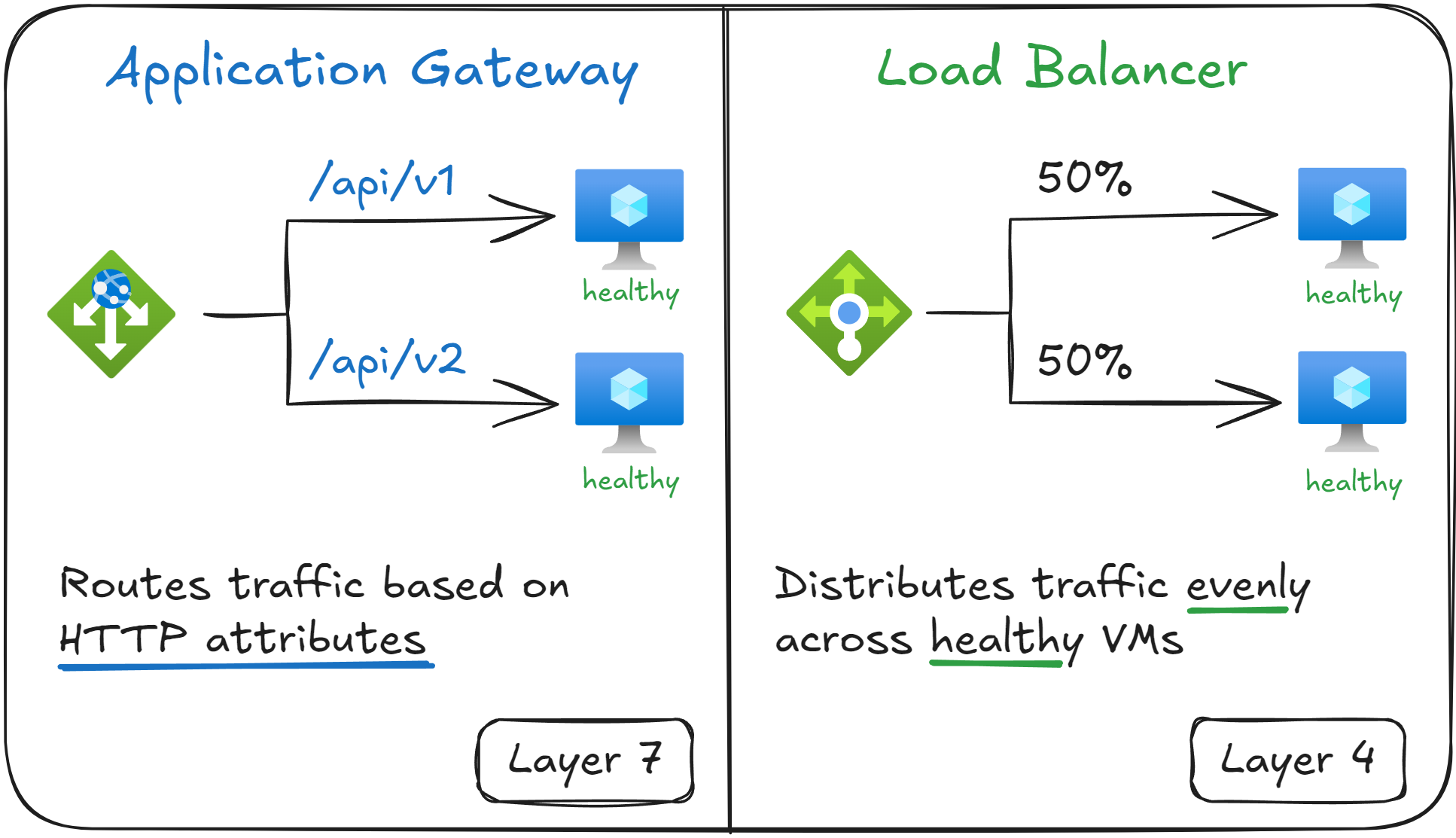
It’s important that you know the difference between Azure Application Gateway and Azure Load Balancer during your exam.
Here are the main differences:
|
Feature |
Azure Application Gateway |
Azure Load Balancer |
|---|---|---|
|
OSI Layer |
Layer 7 (Application Layer) |
Layer 4 (Transport Layer) |
|
Traffic Type |
HTTP/HTTPS |
TCP/UDP |
|
Routing Method |
Based on URL, Path, and other HTTP attributes |
Based on IP addresses and ports |
|
Other features |
SSL termination, WAF, session affinity |
|
-
Remember that the main use case for Azure Application Gateway is to distribute traffic to Web Apps and APIs, while Azure Load Balancer is a general load balancer to distribute traffic between any Virtual Machine, or for non-HTTP workloads.
Also, just like Azure Load Balancer, Application Gateway also uses Health Probes to check which Virtual Machines are healthy in its backend pool.
If a question mentions distributing incoming traffic and offer SSL termination, then it’s about Application Gateway, not Load Balancer.
Advanced Features of Application Gateway
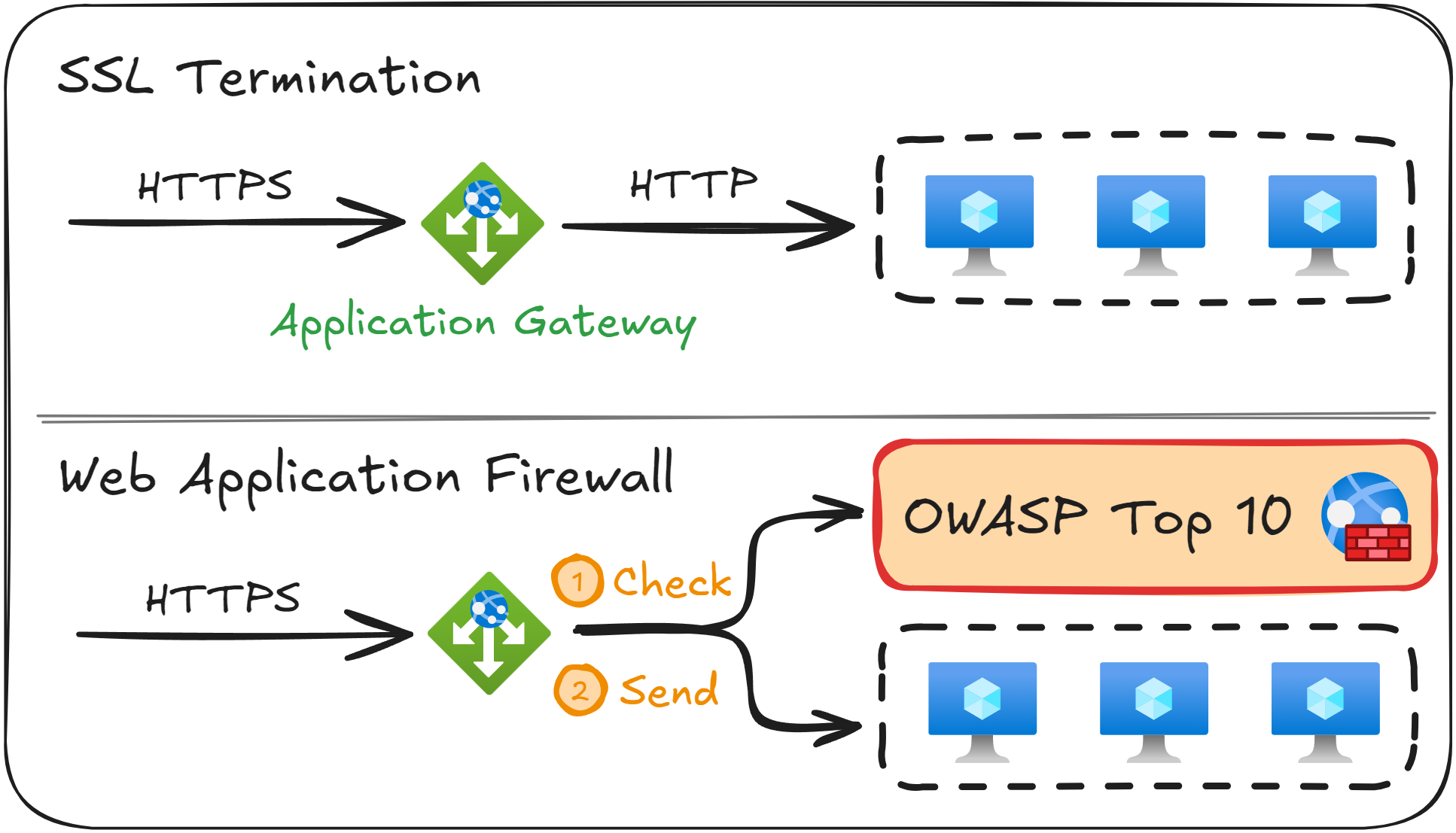
There are five key advanced features that Application Gateway provides that you should be familiar with on your exam.
Path based routing
This allows you to distribute traffic based on the URL path of the request. For example:
/api/images→ Send traffic to Backend Pool A/api/videos→ Send traffic to Backend Pool B
Host-based routing
This allows you to distribute traffic based on the hostname of the request. For example:
api.zerotoarchitect.com→ Backend Pool Adev.zerotoarchitect.com→ Backend Pool B
SSL termination
This feature allows you to decrypt incoming HTTPS traffic at the Gateway, and then either forward it as HTTP to a backend pool (SSL termination), or re-encrypt it before sending it to a backend pool (End-to-End TLS).
Web Application Firewall
This feature allows you to link an Azure Web Application Firewall to protect you against the OWASP Top 10 web security vulnerabilities, such as SQL Injection or cross-site scripting.
Session Affinity
This feature, when enabled, will make sure that a user is always routed to the same Virtual Machine in the backend pool, which is useful in session-based applications.
If an exam question mentions that you need to “reduce encryption load on backend Virtual Machines”, then the right choice is Application Gateway with SSL termination.
Real World Example
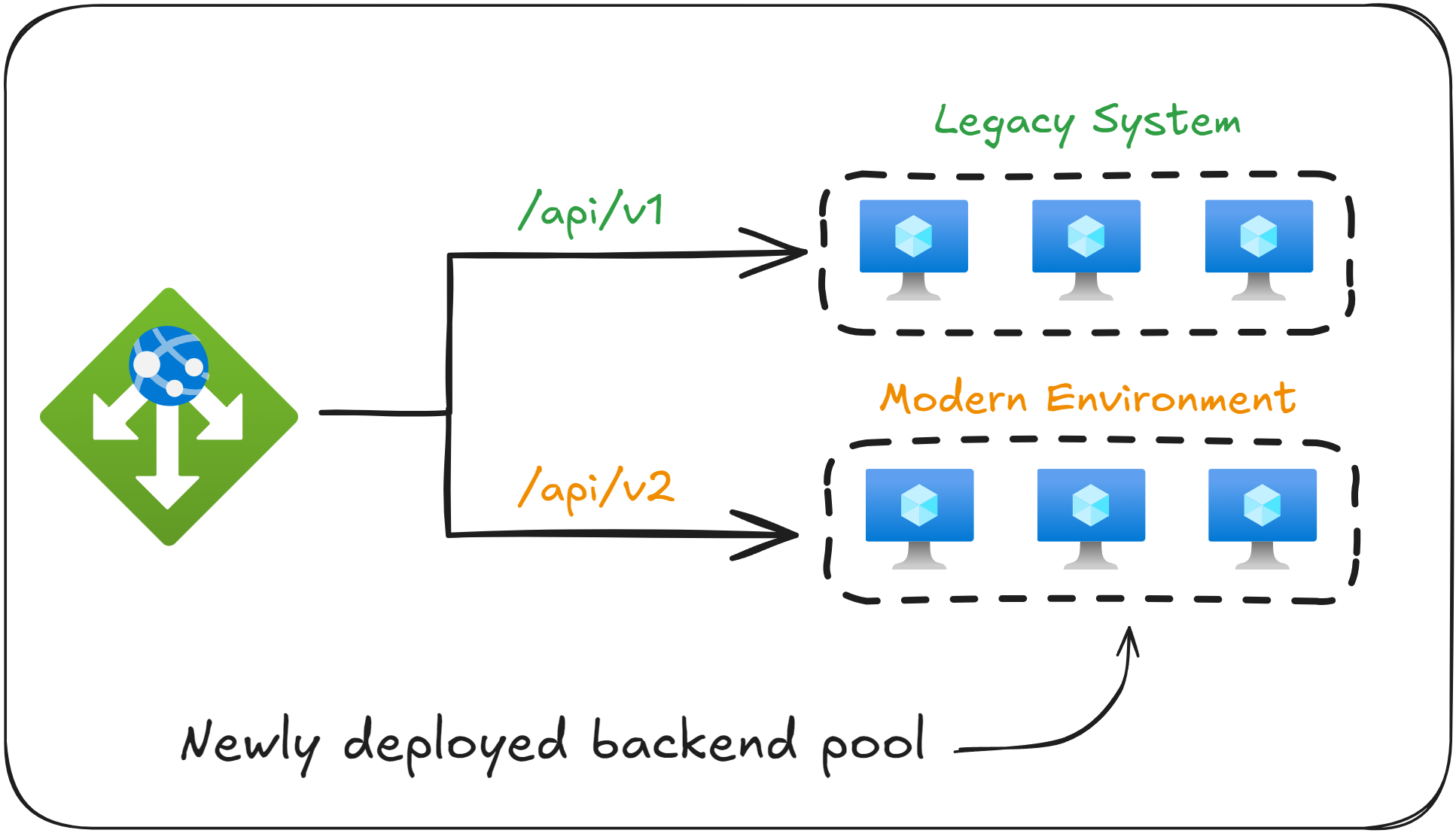
Imagine you work for a company that has runs a Software as a Service (SaaS) product.
The product was built a long time ago, and every backend endpoint contains the API version which it uses.
The current production system uses api/v1, and the development team is gradually upgrading the backend API, using api/v2 as prefix.
All v2 endpoints will be deployed on new Virtual Machines inside the Virtual Network, without touching the VMs running the v1 endpoint.
In order to distribute the requests correctly between the old and new Virtual Machines, you can deploy an Azure Application Gateway with two backend pools and configure routing based on URL Paths.
With this setup, v1 requests will go to the old production VMs, while newer v2 requests will go to the newly deployed VMs.
If the question refers to routing based on URL Paths (such as /api/v1/ or /api/v2/) then Application Gateway is the correct answer. Azure Load Balancer cannot do this.
What to remember for your exam
- Azure Application Gateway works at the OSI Layer 7 (Application Layer).
- It is used to redirect traffic based on hostnames, URLs, paths, and other HTTP attributes.
- It supports SSL Termination, WAF, and session affinity.
- Application Gateway uses health probes to know which Virtual Machines area healthy, just like Azure Load Balancer does.
What’s next?
To lock in what you’ve learned, take the short 8-question quiz for this lesson. It will help you test your understanding of Azure Application Gateway before you move on.
In the next lesson, you will learn how to route every user request to the closest geographical server to them using Azure Traffic Manager.