Now that you understand IP Addresses, it’s time to build on that foundation and learn about Subnets and CIDR Blocks.
These two concepts will help you design, organize, and scale your Azure Virtual Networks efficiently.
How is a Virtual Network organized?
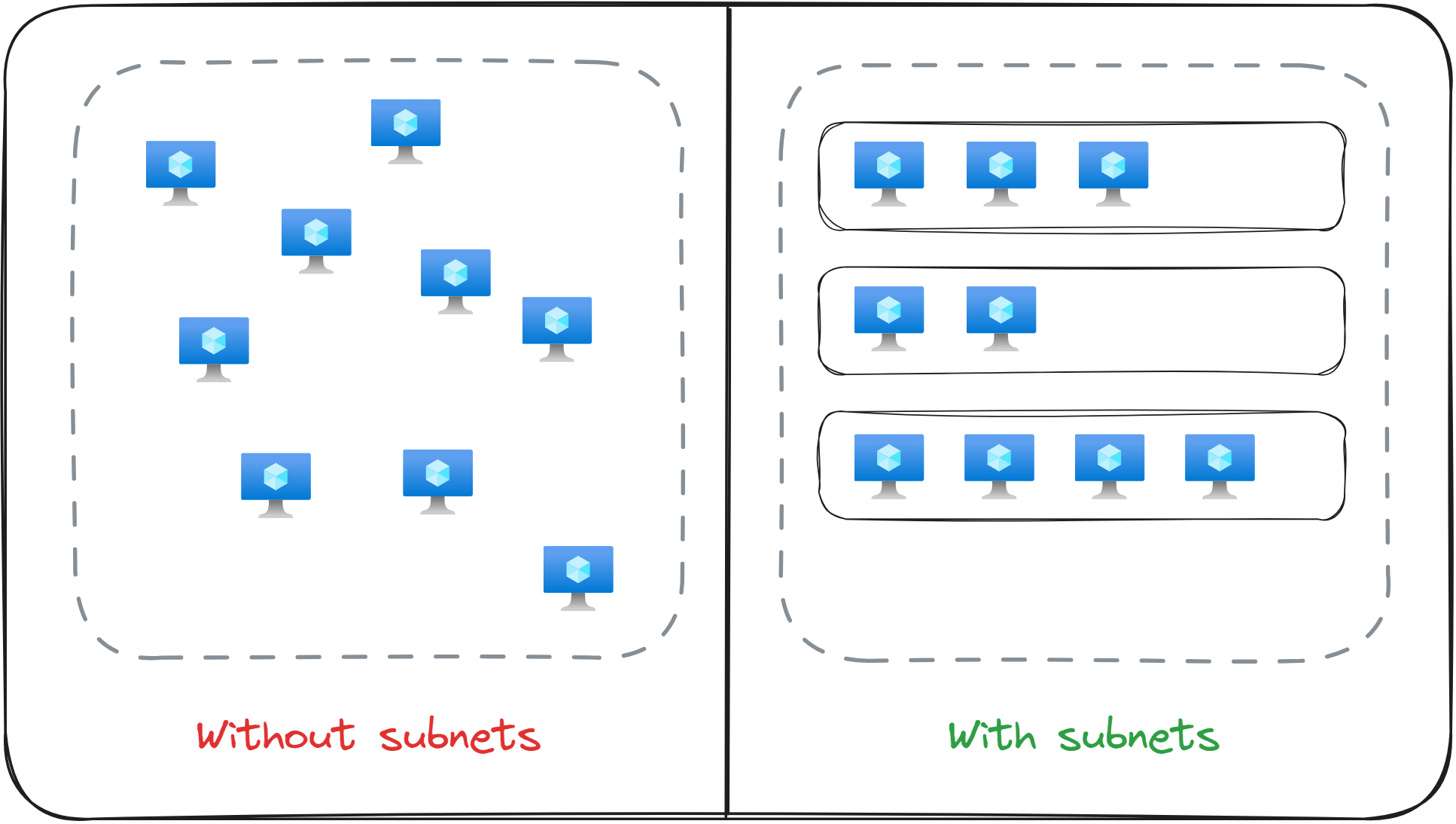
When you come across the term Virtual Network, think of a group of computers connected to a central hub. The number of computers connected to that hub determines the size of the network.
In Azure, these computers are usually called Virtual Machines (VMs), that’s the term I’ll use throughout the course.
As a Virtual Networks grows, it becomes harder to manage and maintain.
For instance, imagine having 100 Virtual Machines inside a network without any structure.
It would be like tossing all your forks, spoons, and knives into the kitchen drawer without any dividers between them. Everything would get mixed up and hard to find.
To fix this, you need dividers: smaller sections that help you keep things tidy and organized.
In networking, these dividers are called subnets.
When you deploy a Virtual Machine in Azure, you must select which Virtual Network and subnet it belongs to. A Virtual Network needs to exist before you can deploy any Virtual Machine.
The Network’s Address Space
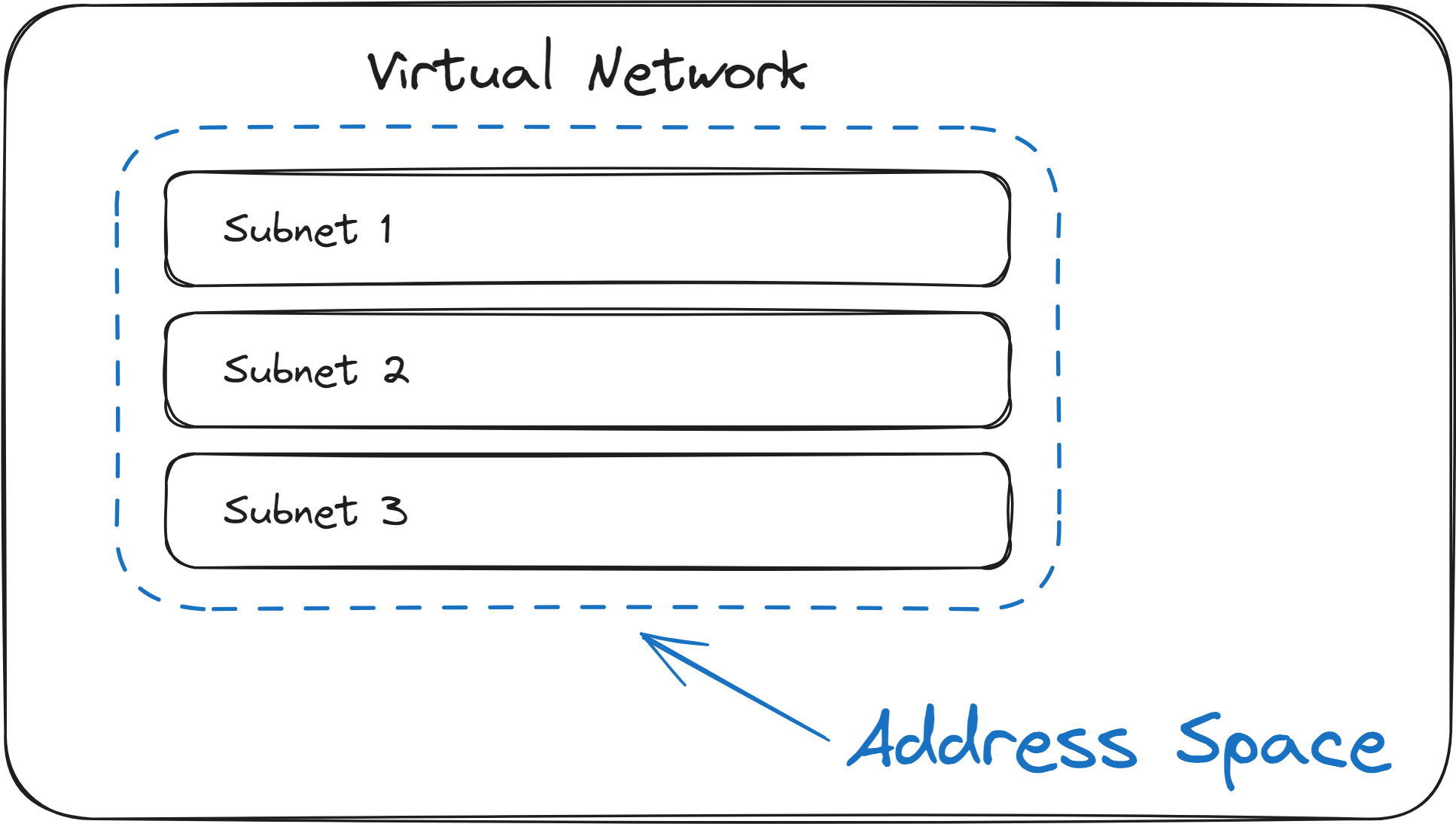
Before we dive into subnets, let’s first understand the Address Space of a Virtual Network, which defines the size of the overall network.
Think of it as the total number of Private IP addresses available in the network. That number will determine how many Virtual Machines (and other resources) you can deploy inside it.
For example:
- You can create a small network with just 32 IP addresses
- Or create a larger one with 256 IP addresses
However, manually writing down a list of Private IP addresses (like 10.0.0.1, 10.0.0.2, 10.0.0.3, … ) would require too much time, especially if you plan to have networks of bigger sizes, with tens of thousands of addresses.
To make this easier, administrators and network engineers use a short, standardized syntax called CIDR Notation.
During your exam, you could be asked to create multiple Virtual Networks. Make sure that their Address Space don't overlap, as that will cause issues in the future if you plan to peer the networks.
What is CIDR Notation?
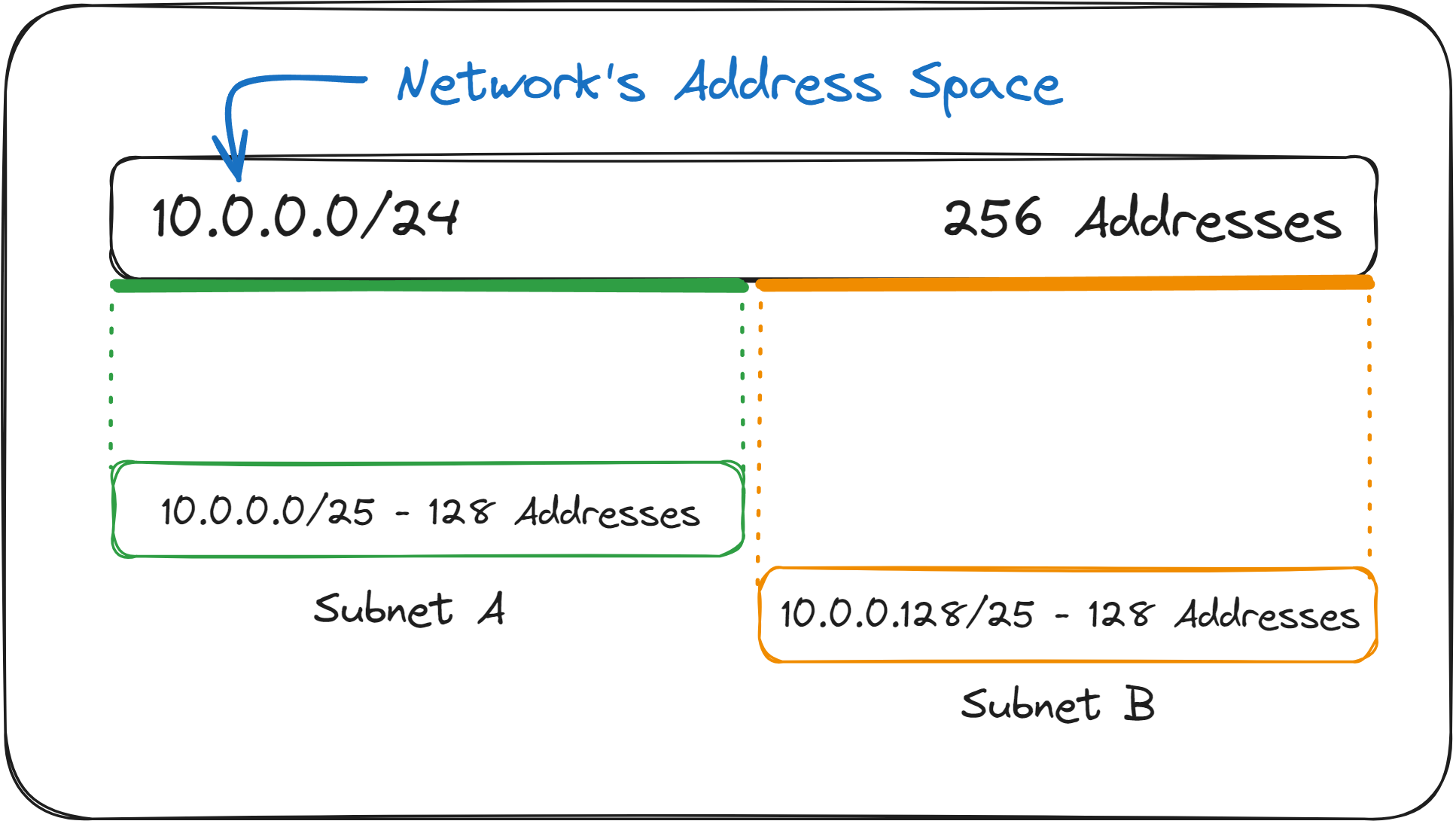
CIDR stands for Classless Inter-Domain Routing, and it’s a compact way to define a range of IP Addresses.
Here’s a quick example: 10.0.0.0/27
This single line is equal to writing down all IP Addresses from 10.0.0.0 all the way to 10.0.0.31 (a total of 32 IP Addresses).
Here is another example: 10.1.0.0/16
This line defines 65,536 IP Addresses, from 10.1.0.0/16 to 10.1.255.255 .
The way it works is as follows:
A CIDR Block always begins with a base IP Address such as 10.0.0.0 .
Then, you add a slash follows by a number between 1 and 32, called the prefix length: 10.0.0.0/24 .
The prefix length tells you how many bits at the start of the IP Address are locked. The remaining bits are unlocked, as they can change, creating different addresses for devices in your network (more on this in the optional deep dive below).
In 10.0.0.0/24 the first 24 bits are fixed, and the last 8 bits (32 bits - 24 bits) can vary. That gives you 2⁸ = 256 possible addresses.
Think of a street address like “10 Main Street, Apartment ___. “ The part before the blank (the street name) is fixed, everyone on that street shares it. The apartment name is variable, it defines each person’s home address on that street.
See it in Binary (Optional Deep Dive)
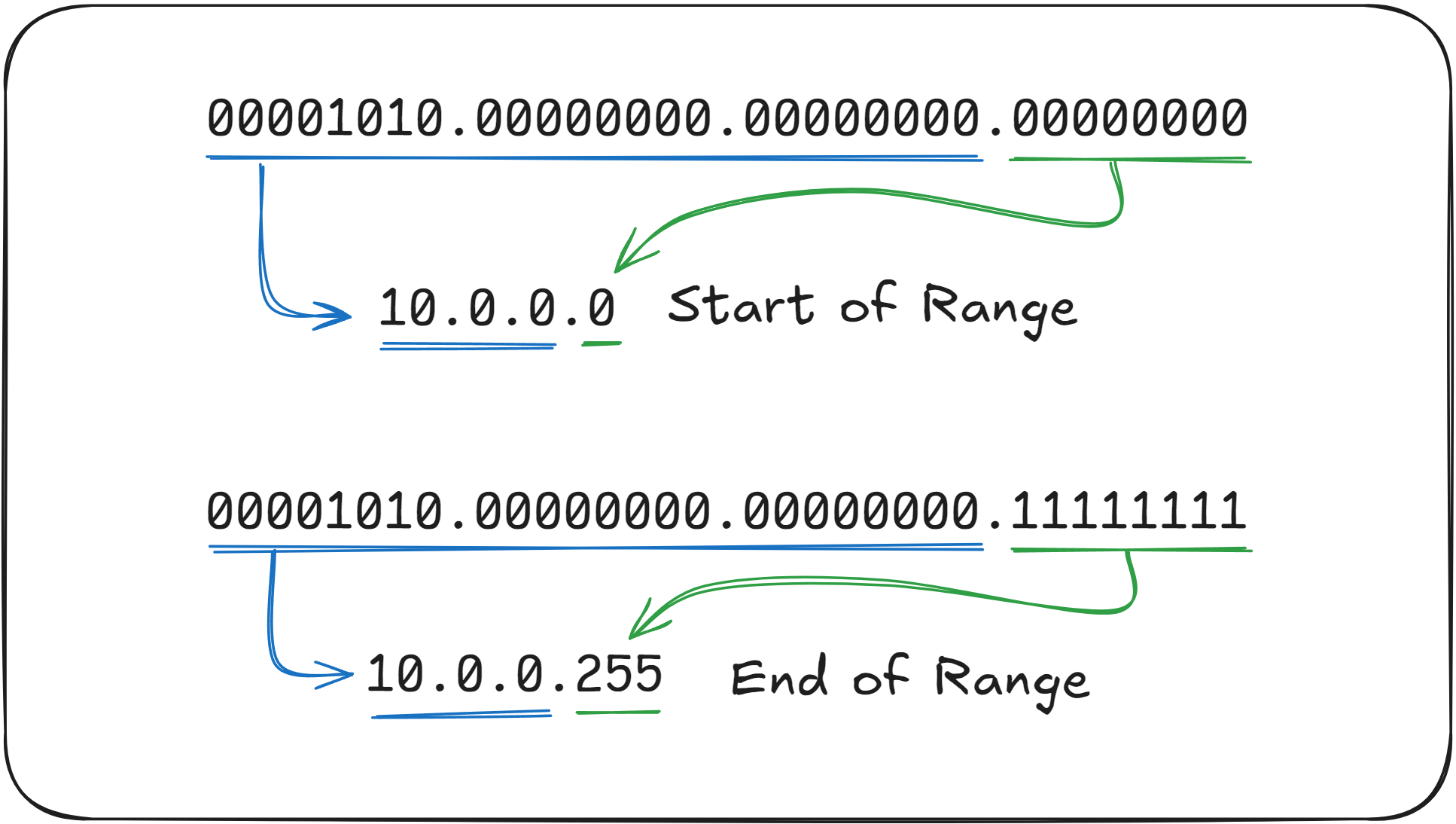
If you want to see how this works under the hood, here’s the binary version of 10.0.0.0/24:
10.0.0.0 -> 00001010.00000000.00000000.00000000Prefix (/24) -> 11111111.11111111.11111111.00000000
Each 1 means “locked” (the fixed part of the network).
Each 0 means “available to vary” (the host part).
So the first 24 bits stay the same, and the last 8 bits can change from 00000000 to 11111111.
This gives you the range:
10.0.0.0 (Start of Range)
10.0.0.255 (End of Range)Total = 256 IP Addresses
Try changing /24 to /16 or /28 and notice how the total number of available addresses changes.
Remember that the prefix /16 represents 65,536 addresses and /24 represents 256 addresses, as these are the most common CIDR Blocks encountered.
What are Subnets?
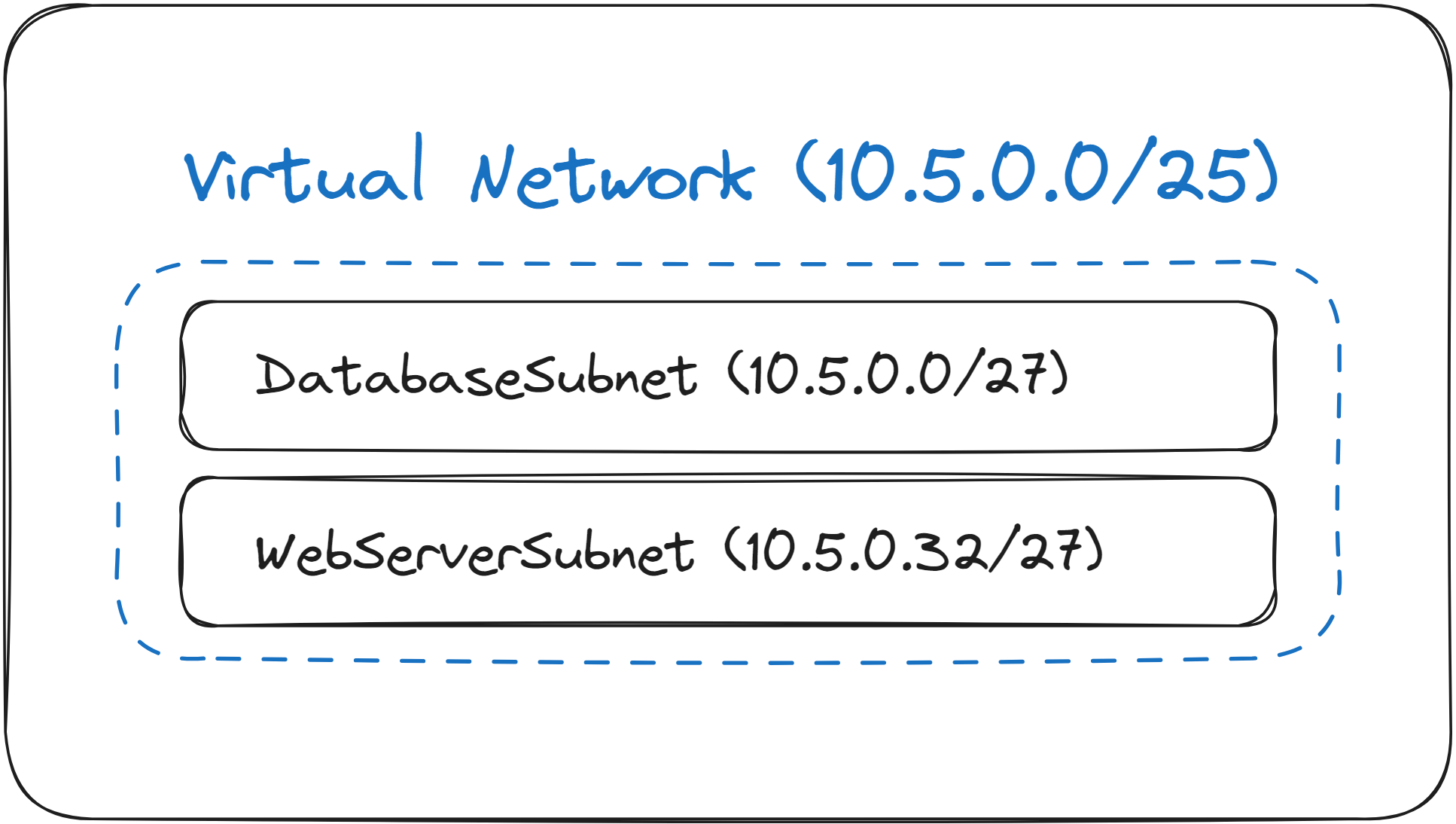
Now that you understand CIDR, let’s return to subnets, the “sections” inside your Virtual Network.
A subnet is simply a smaller, organized portion of the Virtual Network’s Address Space.
For example, let’s say you have a Virtual Network with this address space:
10.5.0.0/25
This gives you 128 IP Addresses, from 10.5.0.0 to 10.5.0.127.
You could divide this network like this:
|
Subnet Name |
CIDR Range |
Purpose |
|---|---|---|
|
DatabaseSubnet |
10.5.0.0/27 (from |
For VMs running SQL Databases |
|
WebServerSubnet |
10.5.0.32/27 (from |
For VMs running web servers |
By dividing a Virtual Network into subnets, you have a better idea of what should exist in the Virtual Network, since you plan ahead.
Every Azure Virtual Network must contain at least one subnet, and you must define it when you create the Virtual Network.
What to remember for your exam
- A Virtual Network contains a long list of Private IP Addresses, which you define using CIDR Notation.
- You can, and should, split up a Virtual Network into smaller parts called “subnets”. Subnets are also defined using CIDR Notation.
- In real world cases, Virtual Networks have separate subnets for Web Servers and Databases.
- When you deploy a Virtual Machine in Azure, you must choose both the Virtual Network and the Subnet in which you want to deploy it to.
- The most common CIDR Notation Prefix Lengths are
/24(256 IP Addresses) and16(65,536 IP Addresses). - Overlapping Address Spaces between Virtual Networks prevent them from being peered.
What’s next?
To lock in what you’ve learned, take the short 8-question quiz for this lesson. It will help you test your understanding of Subnets and CIDR Notation before you move on.
In the next lesson, you'll learn how network traffic is routed inside a Virtual Network via Routing Tables, and how to override the default behavior using User Defined Routes (UDRs).