Up to this point, you’ve learned what a Virtual Network is and how it can be divided into smaller parts called subnets.
However, an important point we haven’t covered is: how does a Virtual Machine know where to send its traffic inside a network?
For example, how does a web server in one subnet know how to reach a database server in another subnet?
In this lesson, you will learn about what Route Tables are and how they help Virtual Machines know where to send their network traffic.
What is a Route Table?
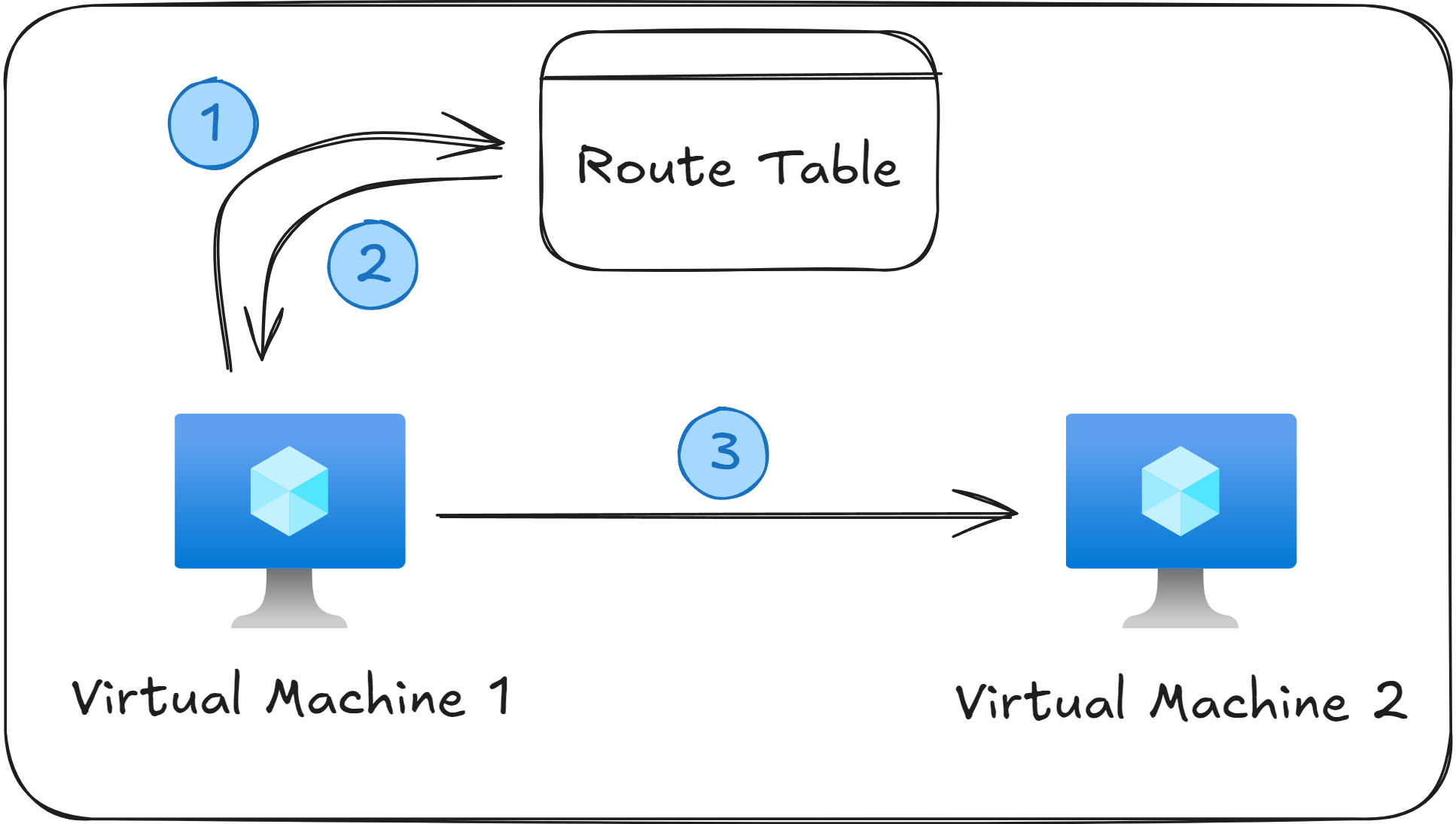
In simple terms, a Route Table is a list of routing rules that define how network traffic should travel.
Each routing rule has three properties, and they are commonly shown as rows inside a table, like this:
Source | Address Prefix | Next Hop Type |
|---|---|---|
Default | 10.0.0.0/8 | None |
Default | 0.0.0.0/0 | Internet |
Default | 172.16.0.0/12 | Virtual Network |
Here’s what each column means:
The Source column represents who created the route in the Route Table. A value of “Default” means that the row was automatically created by Azure, and it cannot be deleted or modified.
The Address Prefix column specifies the destination IP to match. For example, if a VM sends a request to
10.0.0.10, then it will be picked up by the first row in the table.The Next Hop Type tells Azure where the network traffic should go next. A value of “Virtual Network” means the destination is inside the same network, “Internet” means the traffic will be sent out toward the public internet, and “None” means that the traffic should be dropped.
*As a quick side note here, sometimes, a fourth column is also present, called Next Hop IP, but that’s used only in special scenarios where a request is redirected to a specific VM. You will learn more about this in the section about User Defined Routes.
A Route Table can be linked to multiple subnets, but each subnet can have at most one Route Table.
System Routes
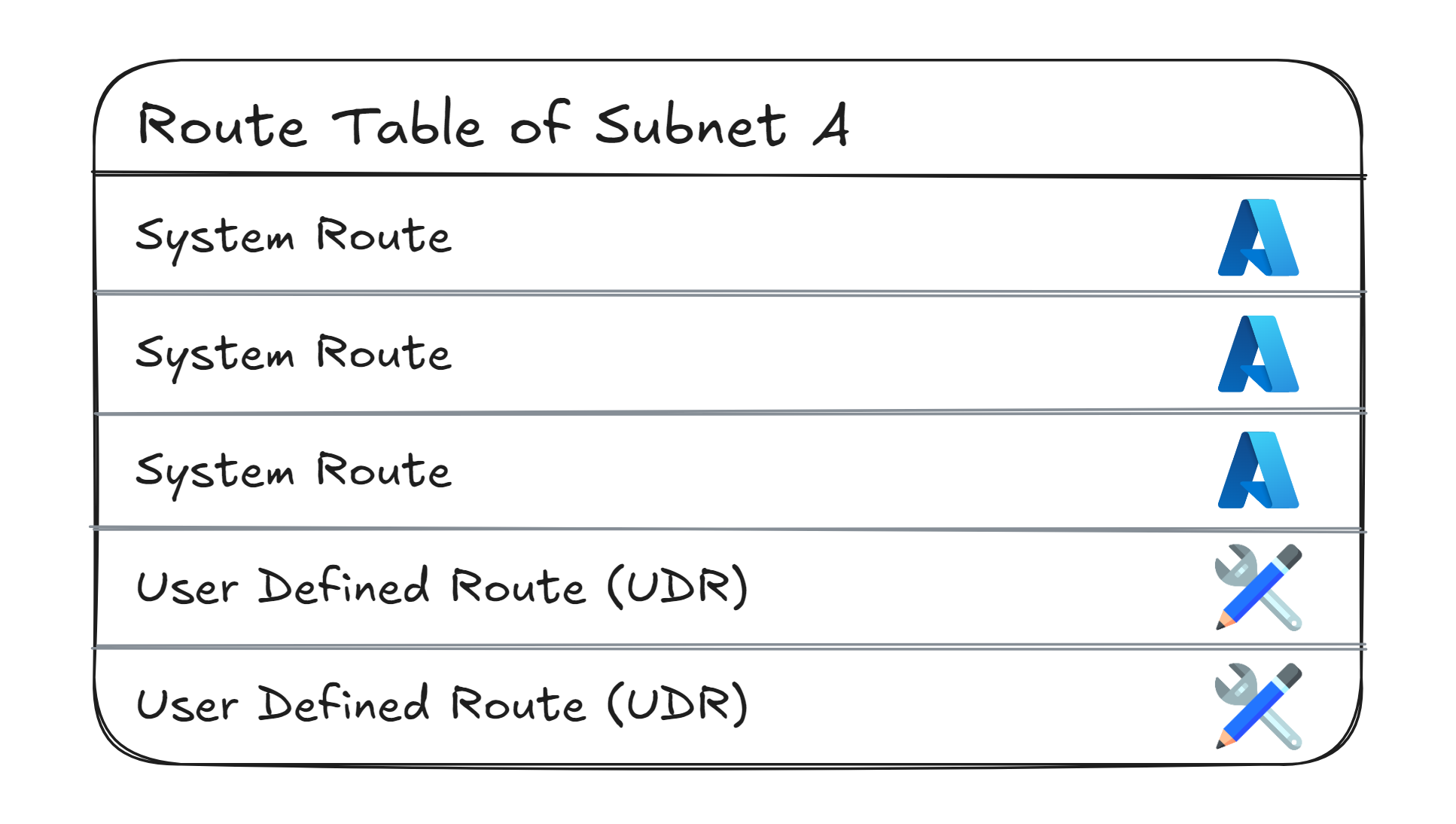
System Routes are the default routing rules that Azure creates automatically for every subnet inside a Virtual Network.
This type of routes are updated by Azure every time you modify your network, for example when you add a new subnet or create a peering connection to another Virtual Network.
Every subnet has its own Route Table, and System Routes cannot be deleted or modified. If you want to override them, you must create a User Defined Route (UDR), more on that later.
The default System Routes for every subnet look like this:
Source | Address Prefix | Next Hop Type |
|---|---|---|
Default | (your VNets address space) | Virtual Network |
Default | 10.0.0.0/8 | None |
Default | 172.16.0.0/12 | None |
Default | 192.168.0.0/16 | None |
Default | 100.64.0.0/10 | None |
Default | 0.0.0.0/0 | Internet |
Here's what these rules mean:
All System Routes use “Default” as their Source. This allows you to quickly identify which routing rules were automatically created by Azure.
The first routing rule specifies that any network traffic sent to an IP Address within the Virtual Network’s own Address Space will stay inside the Virtual Network. This rule allows Virtual Machines to communicate both within the same subnet and across different subnets in that Virtual Network.
The next four rules have the Next Hop Type set to “None”, meaning that any network traffic headed to a Private IP range outside your Virtual Network’s Address Space will be dropped.
The last rule (0.0.0.0/0 → Internet) sends any remaining traffic (not matched by the other rules) to the public internet.
Remember that System Routes cannot be deleted or modified. If you are asked to override a System Route, you must do so through a User Defined Route (UDR).
User Defined Routes (UDRs)
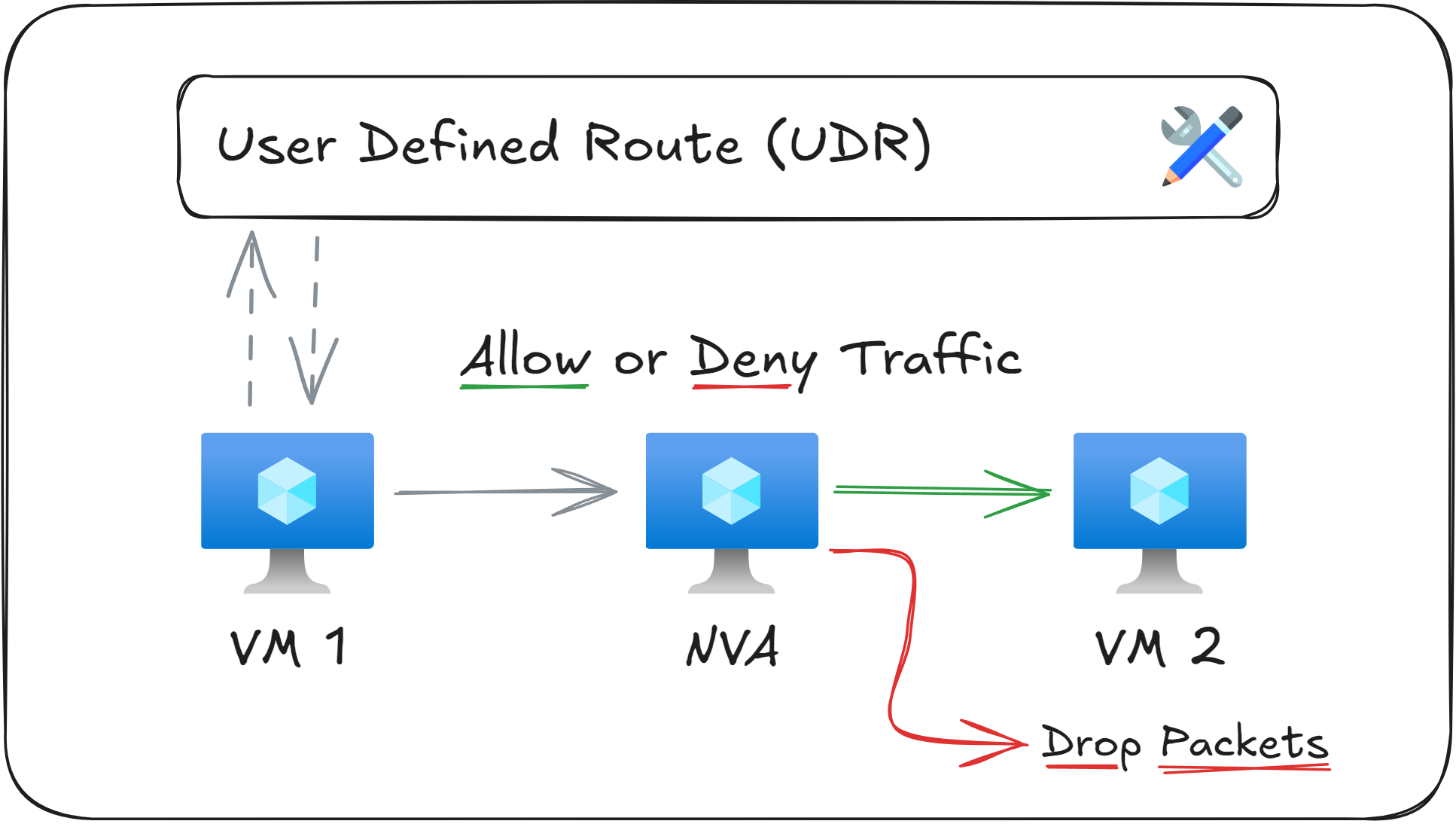
User Defined Routes (UDRs) are rules that you create to override or extend the default System Routes. They let you control exactly how traffic should flow.
Two common use cases for UDRs are:
Traffic inspection: Send all network traffic to a specific VM for inspection (this VM is commonly called a Network Virtual Appliance, or NVA)
Traffic blocking: Drop network packets that match certain destination CIDR Blocks.
In practice, this is how a Route Table with two UDRs might look like:
Source | Address Prefix | Next Hop Type | Next Hop IP |
|---|---|---|---|
User | 10.5.0.0/24 | Virtual Appliance | 10.10.0.1 |
User | 10.8.8.0/24 | None | None |
The first UDR directs all traffic headed to 10.5.0.0/24 to an NVA (at 10.10.0.1). If the NVA allows the traffic after inspection, it will forwarded to the next destination, otherwise it will be dropped.
The second rule drops all network traffic headed to 10.8.8.0/24 .
You could be asked how to force network traffic from a Virtual Machine through a Network Virtual Appliance (NVA) during your exam. The answer is that you use a UDR with a Next Hop Type value of “Virtual Appliance”.
What to remember for your exam
Route Tables define how outbound network traffic from a subnet is routed.
Route Tables contain two types of entries: System Tables (the default ones, which you can’t delete or modify), and User Defined Routes (the ones you create manually, to override or extend the default settings).
A Network Virtual Appliance (NVA) is a Virtual Machine that inspects network traffic and either forwards it or drops it.
You can force network traffic through an NVA by creating a User Defined Route that uses Next Hope Type = “Virtual Appliance”, pointing to the NVA’s Private IP address.
What’s next?
To lock in what you’ve learned, take the short 8-question quiz for this lesson. It will help you test your understanding of Route Tables and User Defined Routes (UDRs) before you move on.
In the next lesson, you'll learn how to secure your Virtual Networks using Network Security Groups (NSGs), which let you allow or block certain network traffic from entering or leaving a subnet or VM.