As your organization grows, so will your Azure environment. Managing all your resources inside a single Virtual Network might seem convenient at first, but over time it will become more difficult to scale and secure.
A better approach you can take is to design multiple isolated Virtual Networks (in different regions, for different teams, and for different environments).
However, by default, resources in different Virtual Networks cannot communicate between them. In this lesson, you will learn how to connect them using peering.
What is peering?
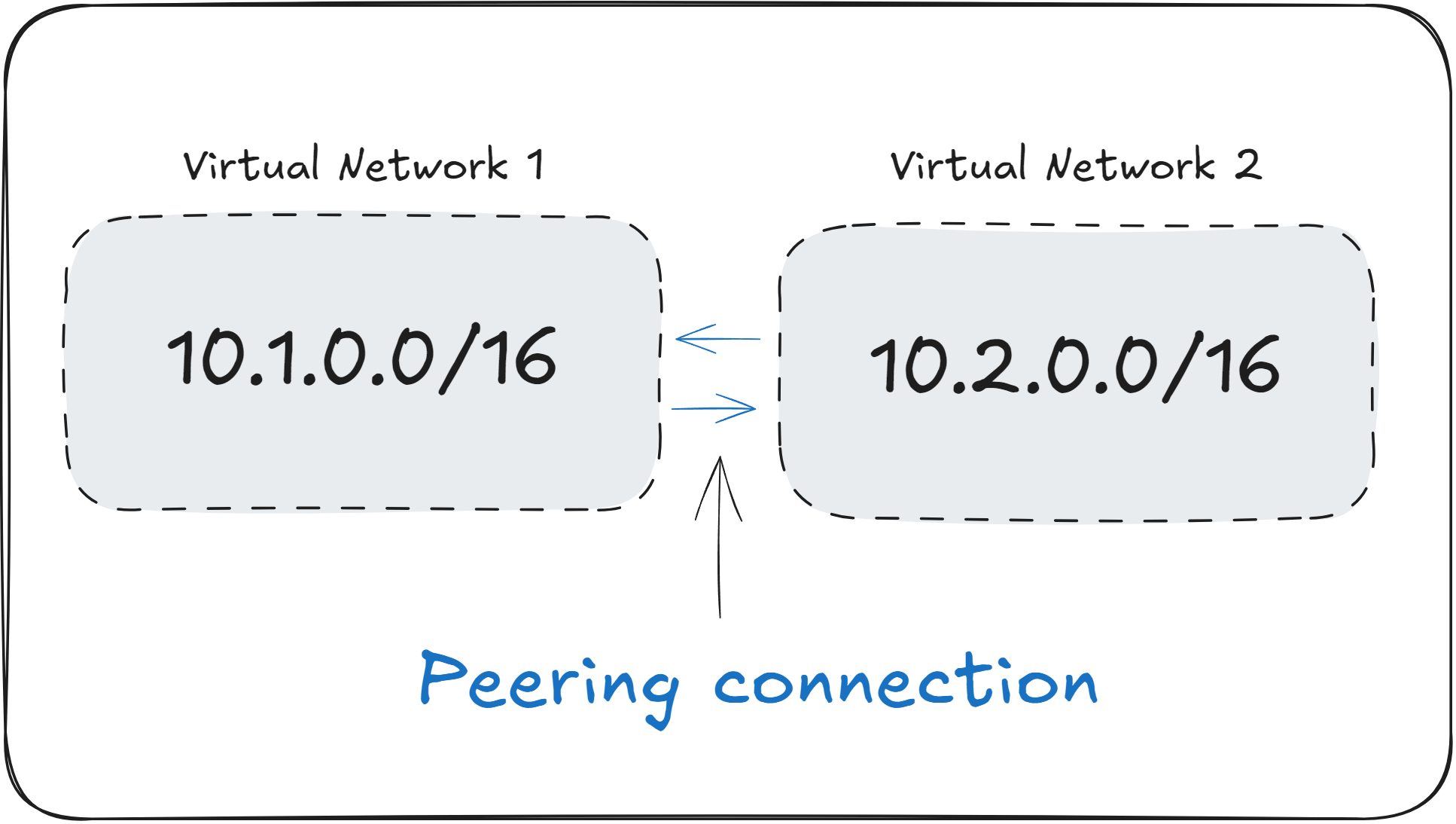
Virtual Network Peering is a way to connect two Virtual Networks together, allowing resources in both to communicate privately using Private IPs, as if they were part of the same network.
When two Virtual Networks are peered, resources in both networks can send traffic to each other using Private IP addresses, without it going through the public internet.
Peering is commonly used in a networking architecture called the “hub and spoke” model. In this setup, a central “hub” Virtual Network hosts shared resources like VPN Gateways, Firewalls, and DNS Servers, while the “spoke” networks host individual workloads.
Through peering, all spoke networks can communicate with the hub network to access the shared resources.
Peering used to be a regional service, but as of recently, you are able to peer Virtual Networks across different Azure Regions using Global Peering.
How does peering work?
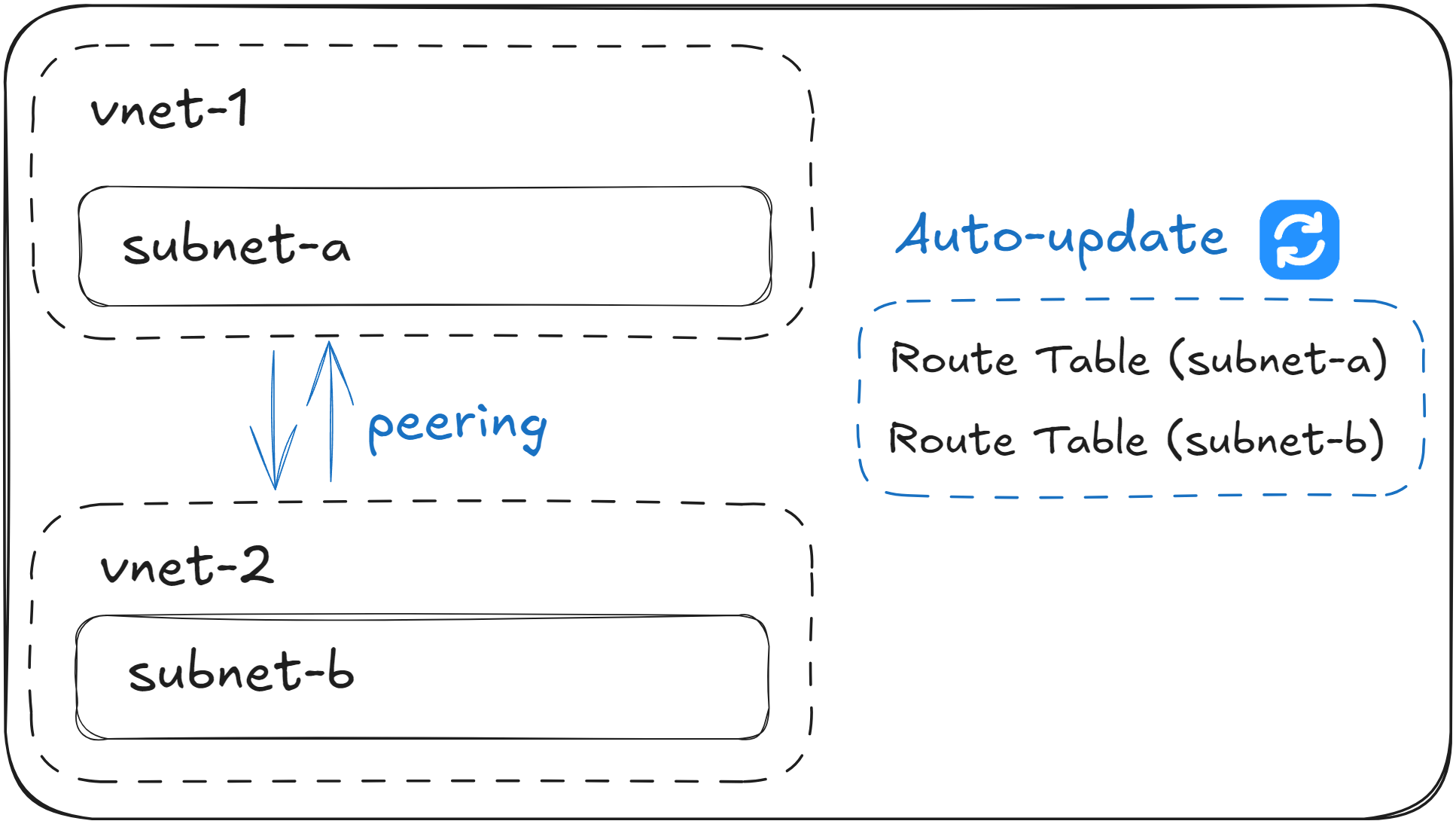
When you set up a peering connection between two Virtual Networks, Azure automatically updates their System Route Tables so that they know how to reach each other.
This allows resources from either end to communicate across the peering connection. For example, VMs inside subnet-a can send traffic to VMs in subnet-b , although they are in different Virtual Networks.
However, although peering enables connectivity between two or more Virtual Networks, it’s important to know that Network Security Groups (NSGs) will still have priority in blocking the network traffic between them. Peering does not bypass the existing NSGs rules.
One important detail to bear in mind is that in order to peer two Virtual Networks, they must not have any overlapping Private IP addresses. This detail makes it critical that you plan your Virtual Networks ahead, making sure that their Address Space does not overlap in the future.
Peering is non-transitive. If A is peered to B, and B is peered to C, A cannot send traffic to C, unless you manually peer A with C.
Real World Example: Multi-network Application
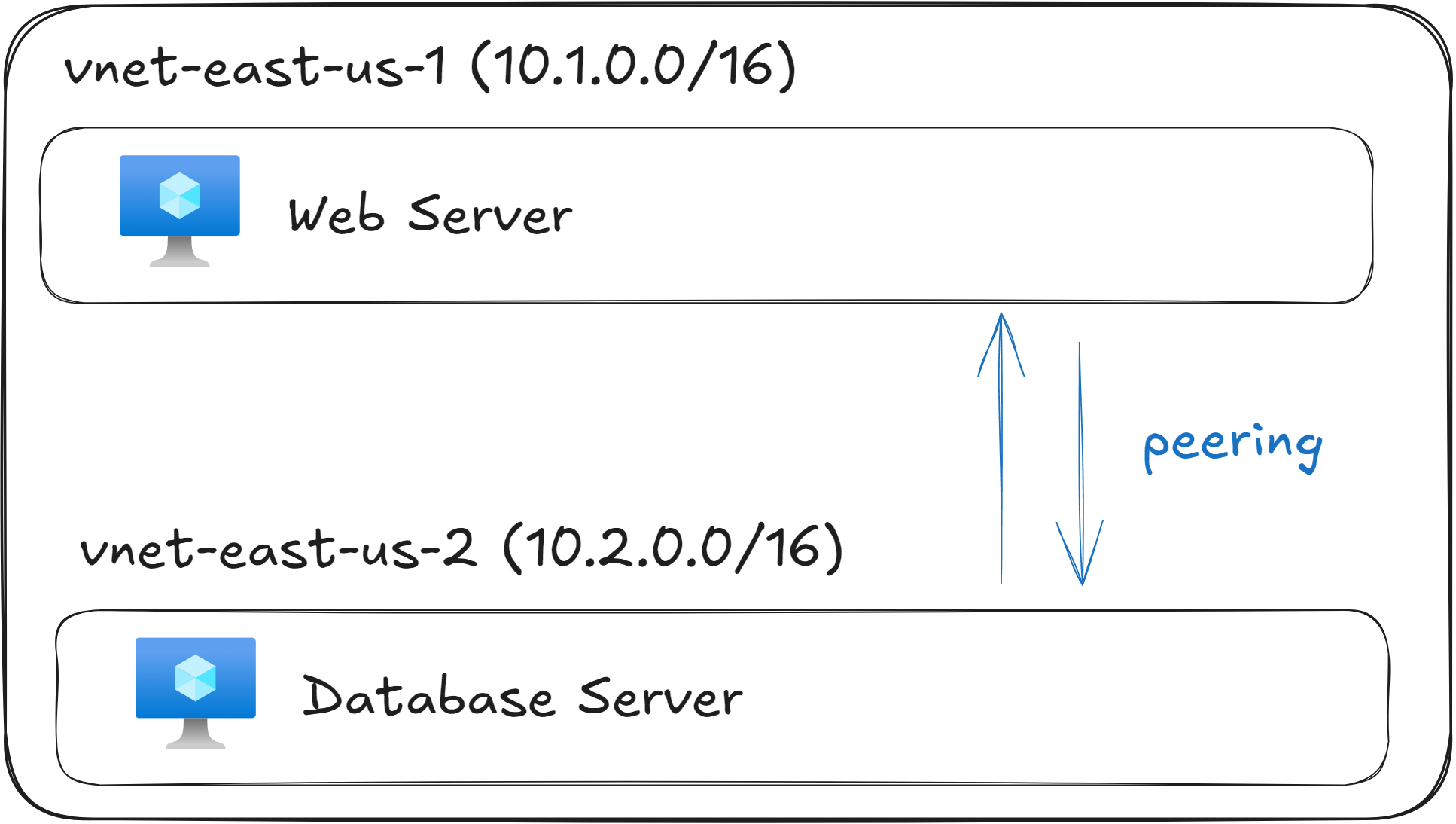
Imagine you’ve just deployed the following resources:
|
Resource |
Address Space |
Purpose |
|---|---|---|
|
vnet-east-us-1 |
10.1.0.0/16 |
VMs running Web Servers |
|
vnet-east-us-2 |
10.2.0.0/16 |
VMs running Databases |
Using this setup, your web servers and database servers are intentionally placed in separate Virtual Networks to achieve network isolation. This isolation is a common best practice for both security and management.
For example, the web servers in vnet-east-us-1 might be accessible from the internet through an Application Gateway or Azure Front Door, while the database servers in vnet-east-us-2 should never be publicly exposed. By separating them, you ensure that even if one network is compromised, the other remains protected.
However, your web servers need to communicate with the databases to handle application requests. By default, VMs in different Virtual Networks cannot reach each other unless you explicitly configure them.
To resolve this, you can create a peering connection between vnet-east-us-1 and vnet-east-us-2. Once the peering is established, the Route Tables for both networks are automatically updated, allowing traffic to flow privately between them over Microsoft’s backbone network.
The web servers can now send database queries directly to the VMs in vnet-east-us-2 using their Private IP addresses, without any traffic touching the public internet.
Peering automatically updates Route Tables, however it won’t override Network Security Groups (NSGs) or User Defined Routes (UDRs) that you have defined. If network traffic can’t go through although two networks are peered, make sure to check NSGs and UDRs.
What to remember for your exam
- Peering allows you to connect isolated Virtual Networks together to enable communication between them.
- When peering two Virtual Networks, their Address Space must not overlap, otherwise the peering will fail.
- Peering is non-transitive. If A is peered to B and B is peered to C, A can’t send traffic to C.
- Network Security Groups (NSGs) and User Defined Routes (UDRs) will not be overridden by peering.
- When setting up peering, a common pattern is the “hub and spoke” architecture, where multiple “spoke” networks connect to a main “hub” network.
What’s next?
To lock in what you’ve learned, take the short 8-question quiz for this lesson. It will help you test your understanding of Virtual Network Peering before you move on.
In the next lesson, you will learn how to enable encrypted communication between an on-premises site and your Azure Virtual Network using Azure VPN Gateway.