When you manage a large number of Virtual Machines in Azure, setting security rules at the subnet or NIC level can become hard to manage.
Not every VM in a subnet needs the same rules, and manually updating NSG rules whenever a new VM is deployed is time consuming and prone to human error.
In this lesson, you’ll learn how to simplify that by dynamically assigning Network Security Groups (NSGs) to VMs by applying labels to them.
What is an Application Security Group (ASG)?
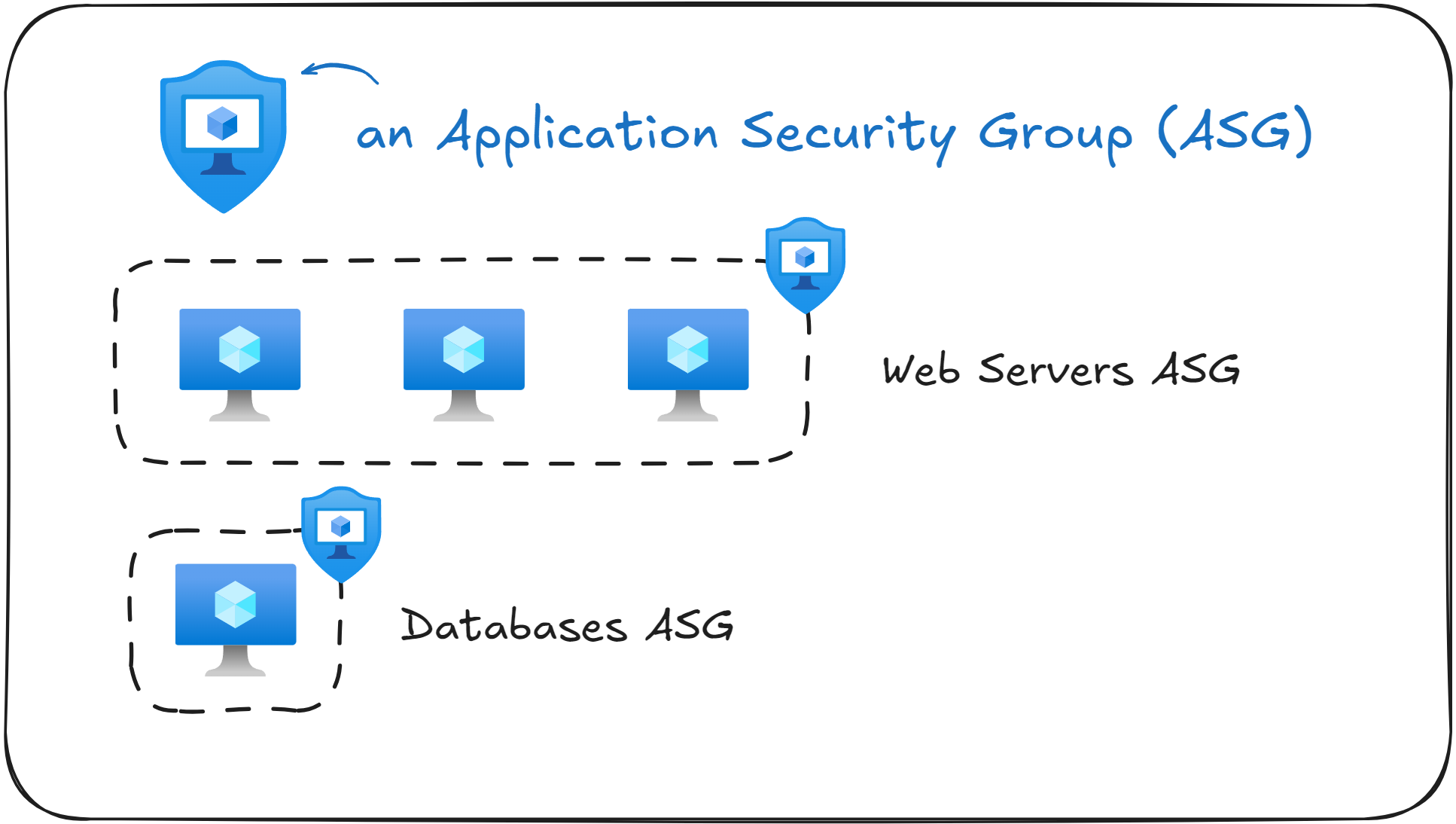
An Application Security Group (ASG) is a way to logically group VMs together to simplify network security. In simple terms, it’s a way to “label” VMs and then use those labels to define NSG rules.
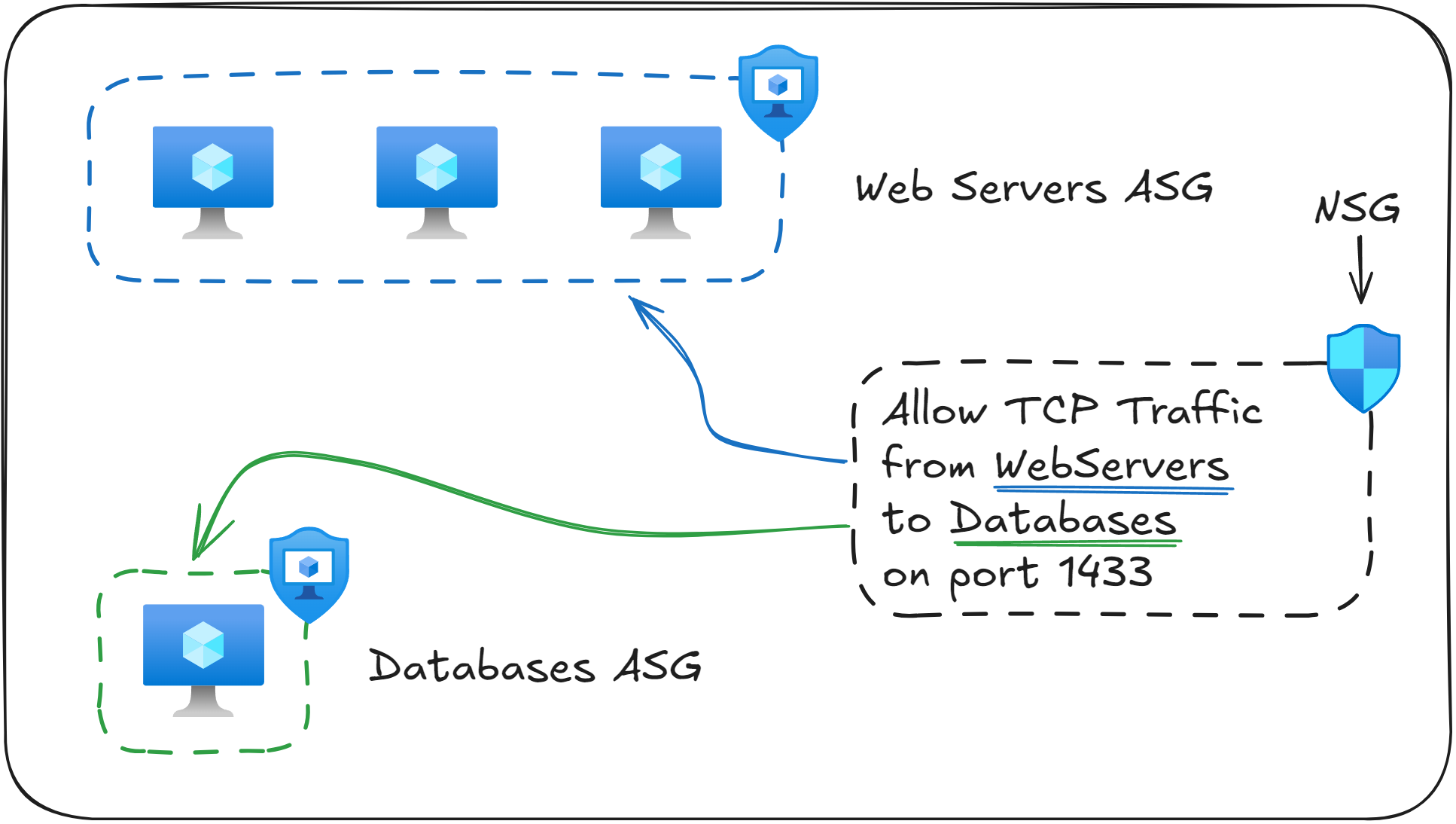
For example, suppose you have multiple VMs running web applications. You can create an ASG named WebServers and assign all your web server VMs to it. Similarly, you can create another ASG named Databases and assign your database VMs to that group.
After you define the ASGs, you can define a NSG rule that says “Allow incoming traffic from the WebServers ASG to the Databases ASG on port 1433”
With this approach, you eliminate the need to reference specific IP addresses in your NSG rules. Whenever you will add a new VM to the WebServers ASG, it will automatically inherit the NSG rules attached to that label. This makes it easier to scale and maintain your Virtual Network security.
Remember that Application Security Groups (ASGs) are applied to Network Interface Cards (NICs), not the Virtual Machine object itself.
Do you still need NSGs if you use ASGs?
Yes. Application Security Groups (ASGs) don’t replace Network Security Groups (NSGs), they actually work together.
An ASG is a way to group VMs logically, while an NSG is what actually enforces network security rules.
You still need NSGs at the subnet or Network Interface Card (NIC) level, just as before.
The difference is that instead of you needing to write rules based on individual IP addresses, you can reference ASGs as the source or destination in the NSG rule. This approach makes it easier to maintain NSG rules as new VMs are added or removed.
For example, consider that you have the following NSG rules defined:
Source | Destination | Protocol | Port |
|---|---|---|---|
0.0.0.0/0 | WebServers (ASG) | HTTP | 80 |
WebServers (ASG) | Databases (ASG) | TCP | 1433 |
The first rule allows inbound HTTP traffic from anywhere (the internet) to any Virtual Machine in the WebServers ASG. Because you referenced an ASG, you no longer need to maintain a list of IP addresses for each VM. Any VM with the label WebServers will have this NSG rule applied.
The second rule allows traffic from the WebServers ASG to the Databases ASG on port 1433. This means that only VMs labeled as WebServers can communicate with VMs labeled a Databases , on port 1433.
As you’ve seen, ASGs don’t replace NSGs, but rather they work together to simplify network security in your Azure environment.
ASGs work only within the same Virtual Network. When creating an NSG rule, you cannot reference ASGs that are part of different Virtual Networks, even if they are peered.
What to remember for your exam
ASGs allow you to group VMs based on their function (such as WebServers, Databases) to simplify network security.
ASGs are applied to Network Interface Cards (NICs), not directly to Virtual Machines.
ASGs don’t replace Network Security Groups (NSGs), but rather work together. ASGs group VMs, NSGs enforce rules on them.
Both the source and destination ASGs must be in the same Virtual Network when used inside an NSG rule.
A single Network Interface Card (NIC) can belong to multiple ASGs.
What’s next?
To lock in what you’ve learned, take the short 8-question quiz for this lesson. It will help you test your understanding of Application Security Groups (NSGs) before you move on.
In the next lesson, you will learn how to connect two isolated Virtual Networks together using peering, allowing resources from both networks to communicate with each other.