What is ExpressRoute?
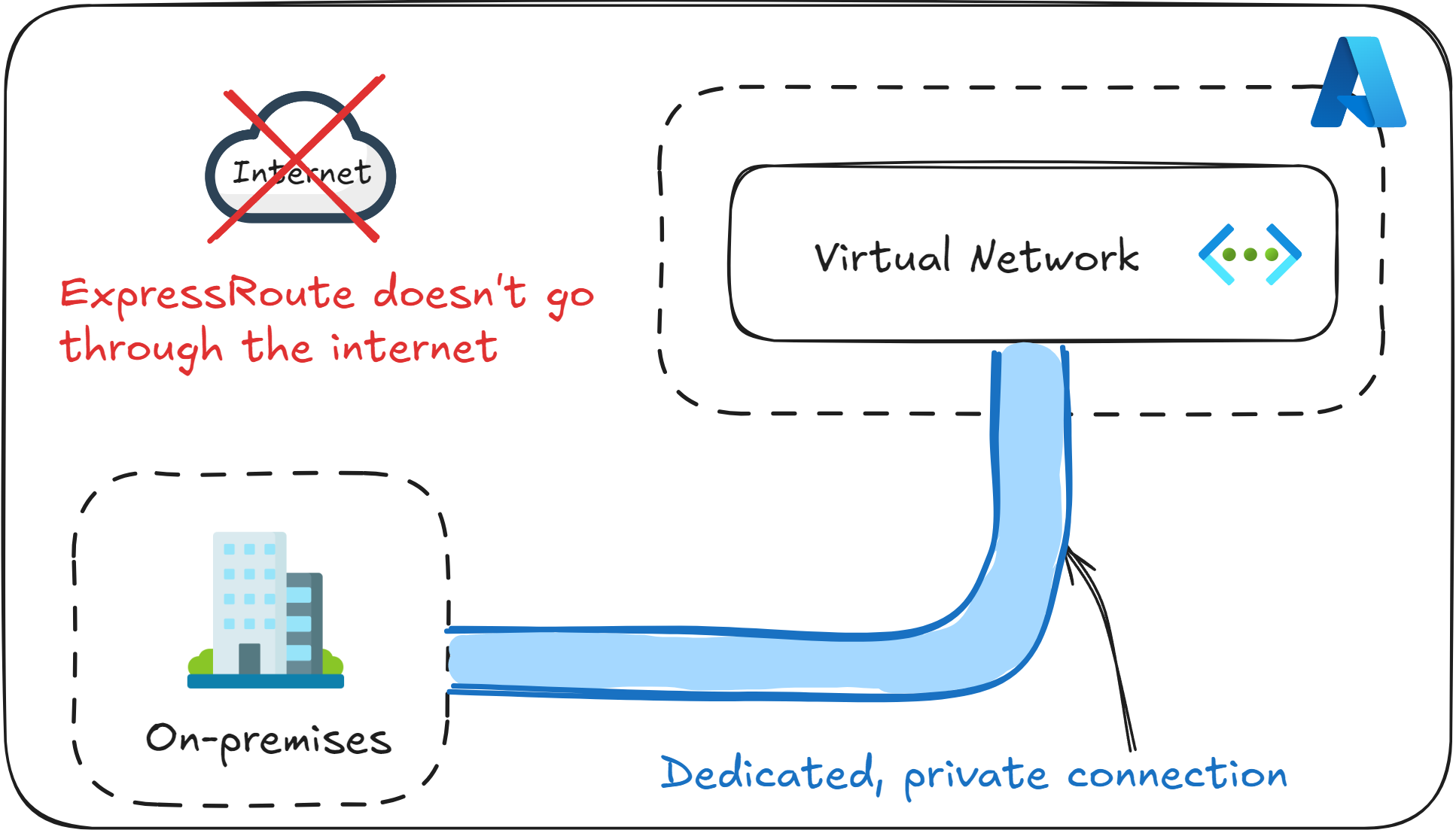
Azure ExpressRoute is a service that allows you to extend your on-premises infrastructure into Azure using a dedicated private connection provided by an approved ExpressRoute “connectivity provider”.
Unlike Azure VPN Gateway, which uses encrypted tunnels over the public internet, ExpressRoute traffic never goes through the public internet.
It’s one of the main services used for enterprise hybrid connectivity, in order to improve reliability, performance, and security between an on-premises environment and Azure.
If an exam question mentions keywords such as “high bandwidth”, “predictable latency”, or “avoiding the internet entirely”, choose ExpressRoute. If it’s about connecting remote users or having “flexible connections”, choose VPN Gateway.
Peering options
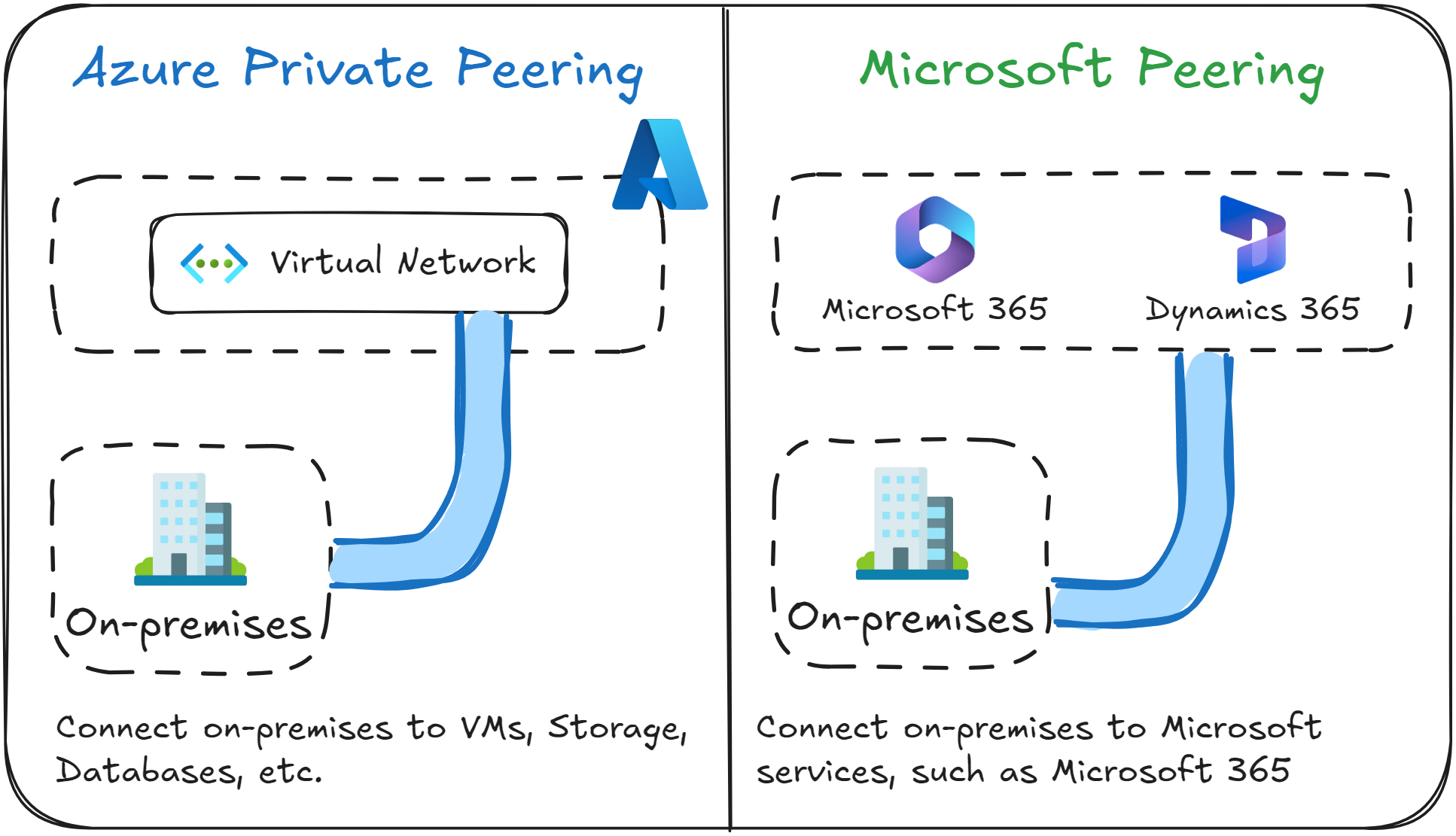
ExpressRoute supports two main types of peering, which determine what destinations are reachable from your on-premises network.
Azure Private Peering is used to connect your on-premises environment to an Azure Virtual Network, so that it can access things like VMs, Storage Accounts and databases.
Microsoft Peering is used to connect your on-premises environment to a Microsoft SaaS service, such as Microsoft 365 or Dynamics 365.
If an exam question includes the option “Public Peering”, it’s a trap. Public Peering is a type of peering option for ExpressRoute that has been discontinued and is no longer available.
How to set up ExpressRoute
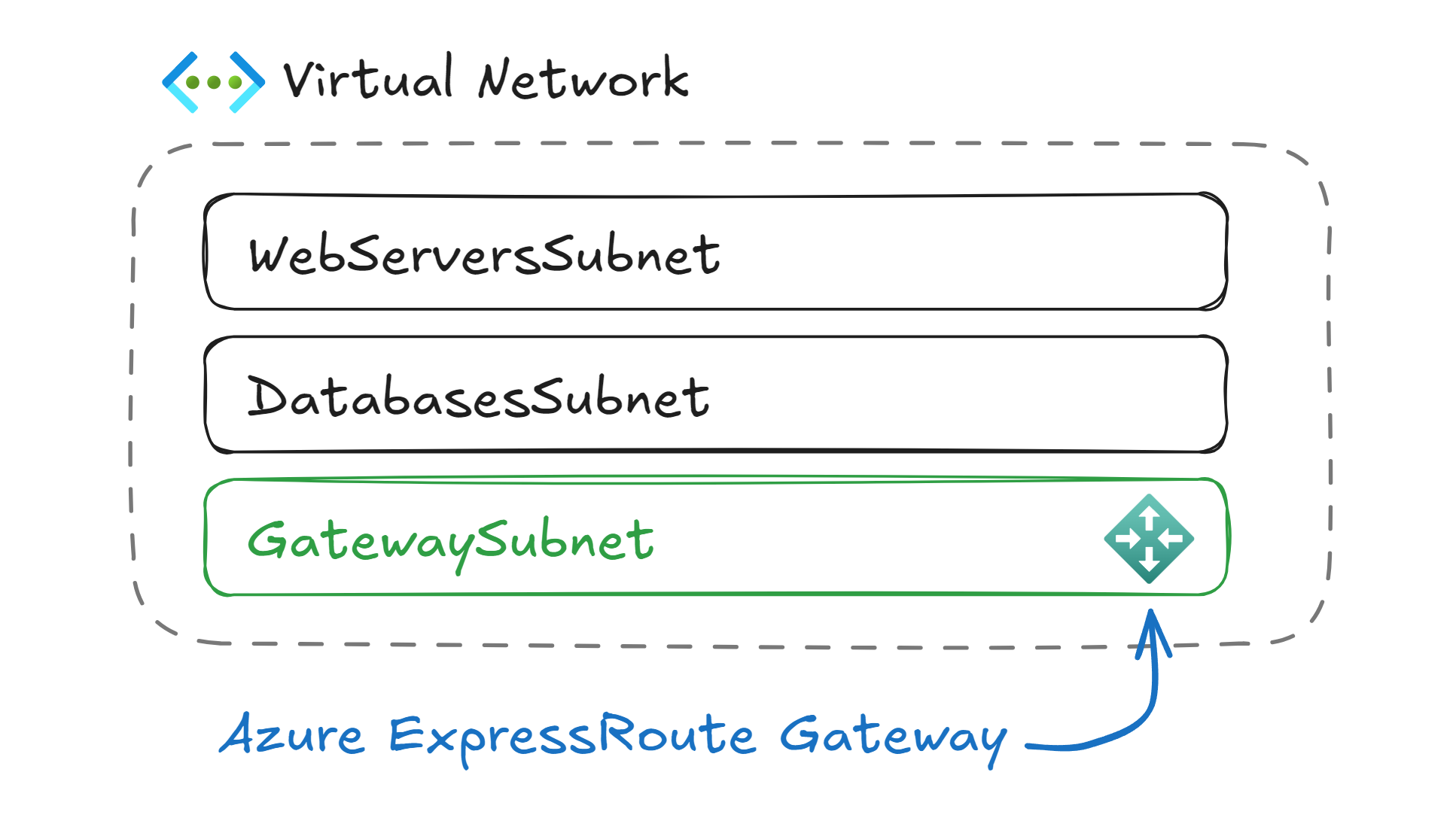
To set up an ExpressRoute connection for your company, begin by ordering an ExpressRoute circuit from an approved connectivity provider or by arranging a direction connection at a peering location.
Once the circuit is ready, link it to your Azure Subscription so that it can be associated with your Azure resources.
Next, you need to create an ExpressRoute Gateway within your Azure Virtual Network. This gateway must be deployed in a dedicated subnet named GatewaySubnet.
After the gateway is in place, you need to configure routing by establishing BGP sessions between your on-premises routers and the Microsoft edge routers.
With routing established, your on-premises traffic will flow over the private dedicated ExpressRoute connection into Azure (and vice-versa).
If you encounter a question asking how to configure ExpressRoute, make sure to include the option that mentions “Create a subnet named GatewaySubnet within the Virtual Network”.
How is ExpressRoute different from VPN Gateway?
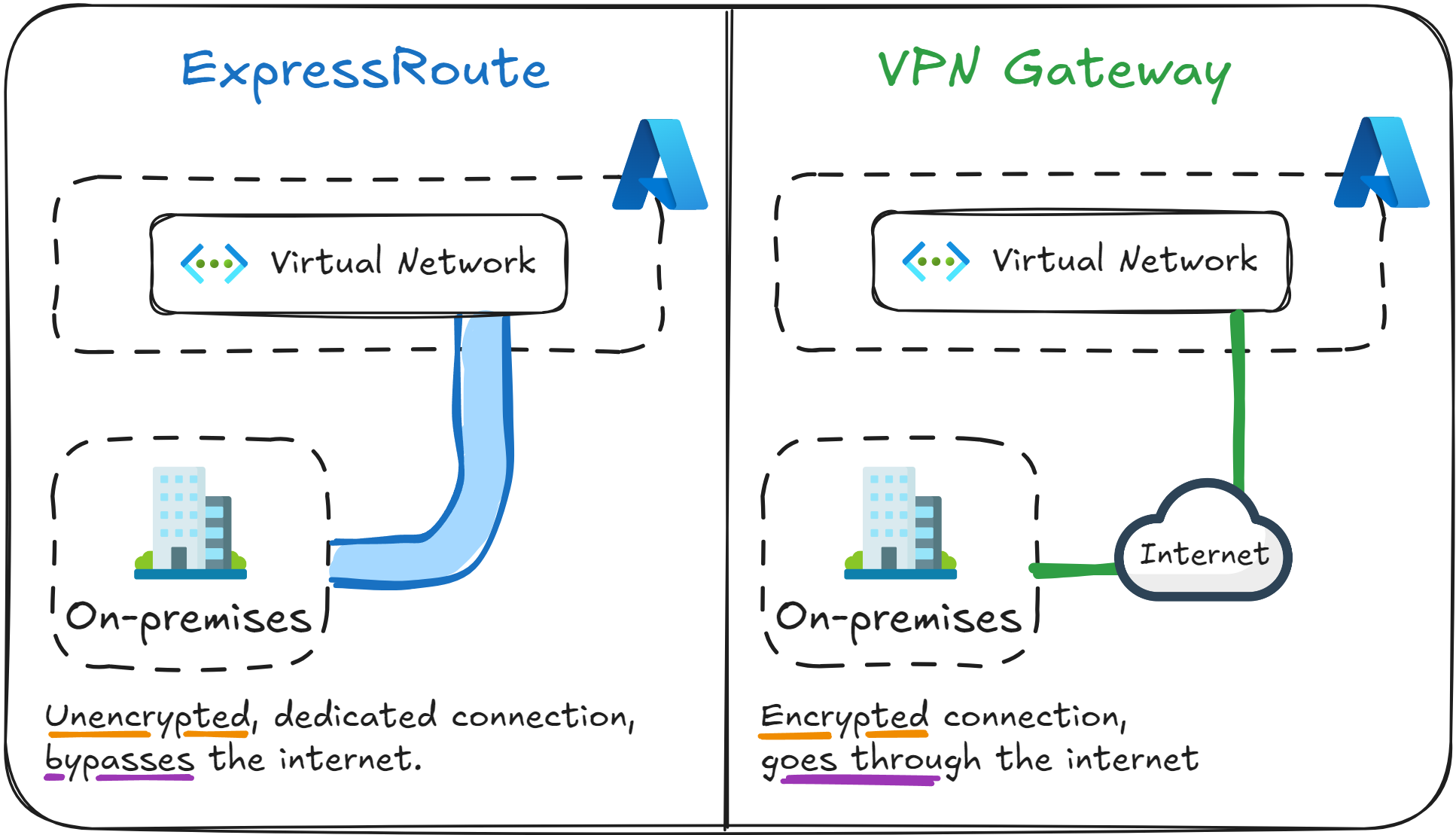
In Azure networking, both ExpressRoute and VPN Gateway are methods of connecting your on-premises network to your Azure Virtual Networks.
You will encounter both services in the AZ-104 exam, often in questions about hybrid connectivity or network design, so it’s essential to understand their differences.
The table below summarizes the key differences between them.
|
Feature |
ExpressRoute |
VPN Gateway |
|---|---|---|
|
Network Transport |
Microsoft backbone network |
Public Internet (through an encrypted tunnel) |
|
Performance |
High bandwidth, low latency |
Depends on internet speed and quality |
|
Security |
Private transport, but not encrypted |
Public transport, but encrypted (IPsec) |
|
Requires a network provider? |
Yes, a third-party connectivity provider |
No, works out of the box |
In short, ExpressRoute is used for enterprise-scale and mission-critical workloads that require predictable performance, while VPN Gateway is used in small to medium organizations that don’t require mission-critical connectivity.
If you encounter a question which requires that network traffic going to Azure from on-premises “must not traverse the public internet” in order to meet strict compliance, then choose ExpressRoute as the answer.
What to remember for your exam
- ExpressRoute is used to establish a dedicated private connection from your on-premises environment to Azure.
- It supports two types of peering: Azure Private Peering and Microsoft Peering.
- ExpressRoute is always deployed into a subnet named GatewaySubnet.
- Network traffic goes through the Microsoft backbone network, not the public internet.
- ExpressRoute has high bandwidth and low latency. Choose it when compliance and performance are your top priorities.
What’s next?
To lock in what you’ve learned, take the short 8-question quiz for this lesson. It will help you test your understanding of Azure ExpressRoute before you move on.
In the next lesson, you will learn how to distribute network traffic evenly to multiple Virtual Machines using Azure Load Balancer.