Welcome to your first lesson on Azure identity for the Azure Administrator (AZ-104) exam.
I’m Alex, your instructor, and throughout this module you’ll learn the core Azure Identity concepts you need to understand in order to pass the AZ-104 exam.
We’ll start with the fundamentals: what a user is, how to group them, giving them access through roles, all the way up to service principals and managed identities.
By the end of this crash course, you’ll have a strong understanding of the core Azure Identity concepts you need to understand in order to pass the Azure Administrator (AZ-104) exam.
With that said, let’s begin this module by introducing the most important concept regarding identities in Azure: Microsoft Entra ID.
You will often see the term “directory” when learning about Microsoft Entra ID. The term comes from the old idea of a “phone directory” (or phone book), which mapped each person’s name to their phone numbers. In a similar way, Entra ID maps each user to their attributes, such as their email and permissions.
What is Microsoft Entra ID?
Think of a company with a few dozen employees. Those employees need a way to sign into cloud applications such as the Azure Portal or Microsoft SharePoint. Someone from accounting needs to see his files in SharePoint, and someone from the IT department needs to manage resources in Azure. There needs to be a way to manage which employees get access to what.
Back in the 2000s and early 2010s, the way many enterprise companies handled authentication for their employees was by using a physical computer named a “domain controller” which sat inside a server room. One popular piece of software that handled access management on-premise was Active Directory Domain Services (AD DS).
However, as applications started moving to the cloud and employees started working from home, an on-premises service to authenticate and authorize employees became a bottleneck.
Microsoft saw this problem, and developed a cloud service that is now known as Microsoft Entra ID. It’s a cloud-based identity and access management service that authenticates and authorizes access to resources, and acts as the central server for an organization’s identities.
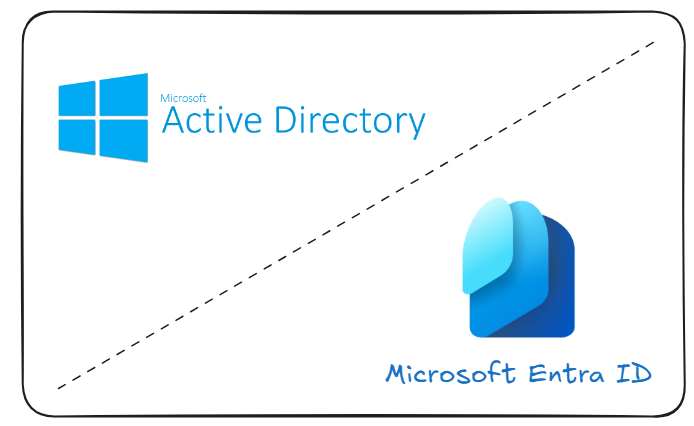
Microsoft Entra was previously known as “Azure Active Directory”, or Azure AD for short. If you see this term in older study materials, know that it’s referring to the same service. Microsoft renamed the service in 2023.
What are Tenants?
Everything inside Microsoft Entra ID (or Entra ID for short), is organized under a tenant.
When using Entra ID for the first time, for example when you created your Azure account, Microsoft under the hood created a dedicated space in the cloud just for you and your organization, in which you can store your users, their roles, licenses, service principals, and everything else that you set up. This dedicated container is called the “tenant”.
Every tenant comes with a default domain name in the format of yourorg.onmicrosoft.com. However, most commonly, you override this default domain name with a custom one, such as zerotoarchitect.com, which you can do if you have access to the DNS records of that domain (for example, you bought that domain name).

The tenant’s default domain name ending in .onmicrosoft.com cannot be deleted or renamed. Although a custom domain can be added, the default domain name always remains available.
What are Azure Subscriptions?
So, your tenant holds all of your users, groups, and their access, but where do your actual cloud resources live, like your Virtual Machines, SQL Databases, and Storage Accounts? To better understand that, we’ll take a short detour into understanding what Azure Subscriptions are and how they relate to Microsoft Entra ID and tenants.
An Azure Subscription is simply a way to group all your Azure resources, and to link that to a billing account. You cannot create Azure resources without first creating an Azure Subscription. That’s because most Azure resources cost real money, and to be able to use them you need to set up a billing account with your credit card information.
An Azure Subscription does not exist “inside” an Entra ID tenant, but more accurately we can say that an Azure Subscription is trusted by a single tenant at any time.
For example, if you create an Azure account and set up a subscription, then that subscription is directly linked to your tenant.
Because this connection is a trust relationship rather than a physical barrier, an Azure Subscription can be moved between tenants. This process is formally known as transferring a subscription to a different directory.
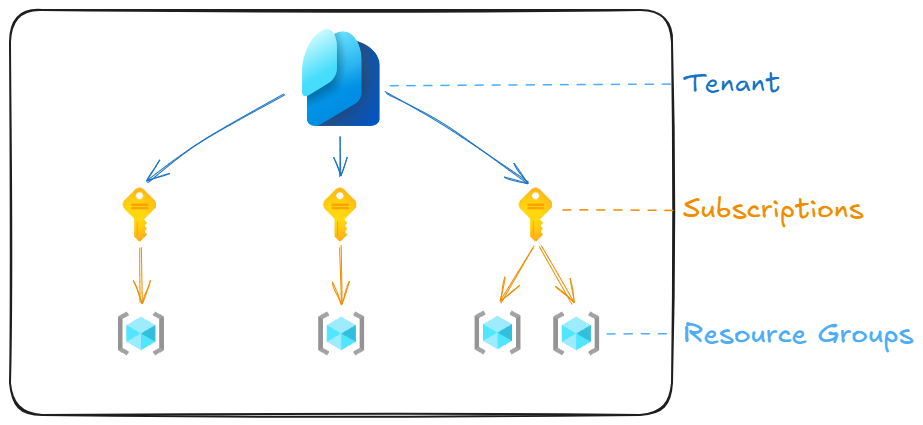
If you are asked how to isolate billing between environments on Azure (for example, dev, staging, and prod), the correct answer is to create a separate Azure Subscription for each environment.
What to remember for your exam
- Microsoft Entra ID is a cloud based identity and access management service
- A tenant is a dedicated instance of Entra ID for your organization
- Each tenant has a default domain name ending in
.onmicrosoft.com - An Azure Subscription is trusted by only one tenant at a time
- An Azure Subscription can be transferred to another Azure tenant
- An Azure Subscription is used to isolate billing between different environments
- Organizations use multiple subscriptions to isolate billing between environments
What’s next
In the next lesson, you’ll learn what users are and how they can be organized into groups.